
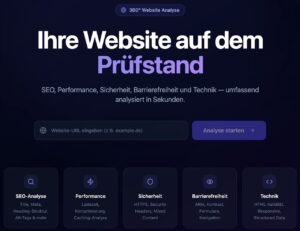
Website check - are you competitive?
... do the website check here free of charge and without obligation!
#1Speed your website
Because every second counts!
Nobody likes waiting for a slow-loading website - neither your customers nor Google.
Test your website with Google PageSpeed Insights. Test the speed of your website yourself using various free tools. Do the website check. A new window for the provider opens.
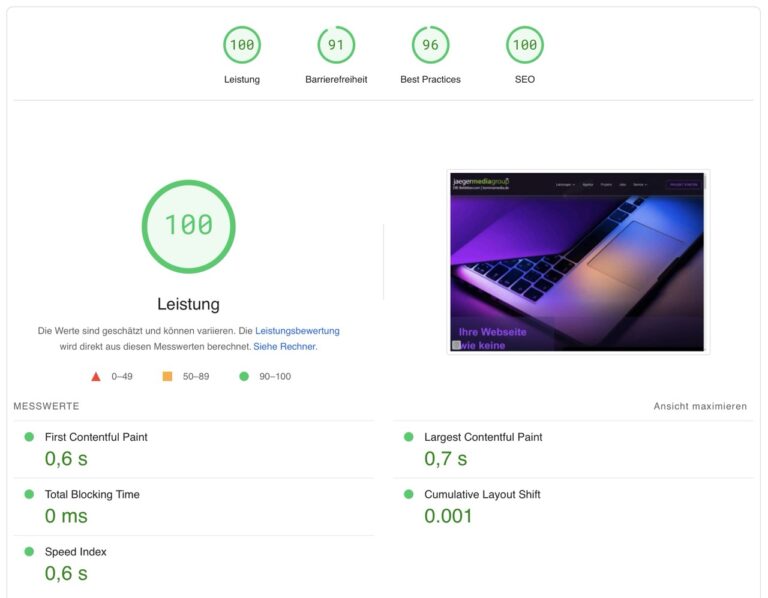
Quick check via Google PageSpeed
You don't need an account and it's completely free. Just enter your website and wait for the result. You get a quick overview of the performance of your website.
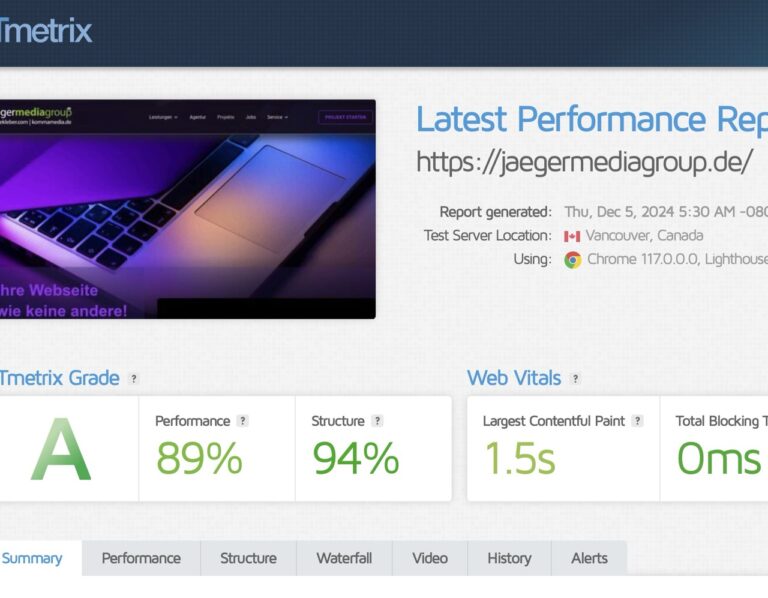
Detailed speed check from GTMetrix
Do the website check via GTMetrix and receive a very detailed evaluation of the speed of your website and the server used. You have to register for free and can then even download the speed check as a PDF and send it to us for your digital project.
#2 Visibility your website
How is your website visibility?
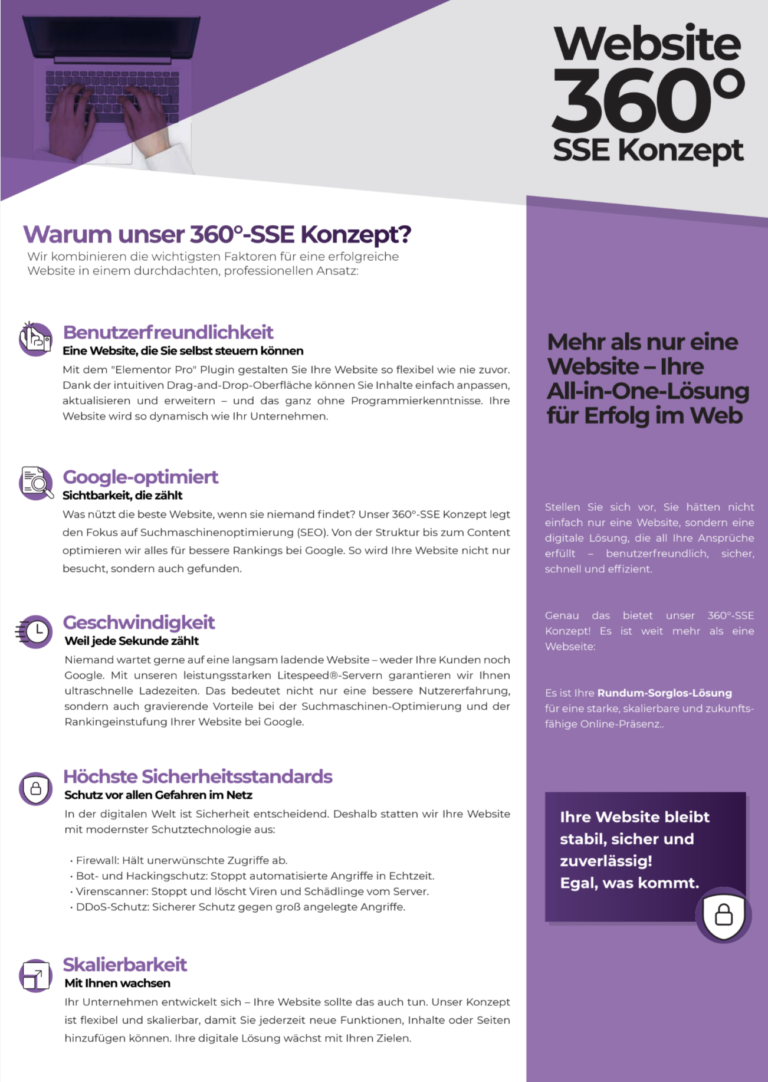
What good is the best website if no one can find it? Our 360° SSE concept focuses on search engine optimization (SEO). From structure to content, we optimize everything for better rankings on Google. This means your website will not only be visited, but also found.
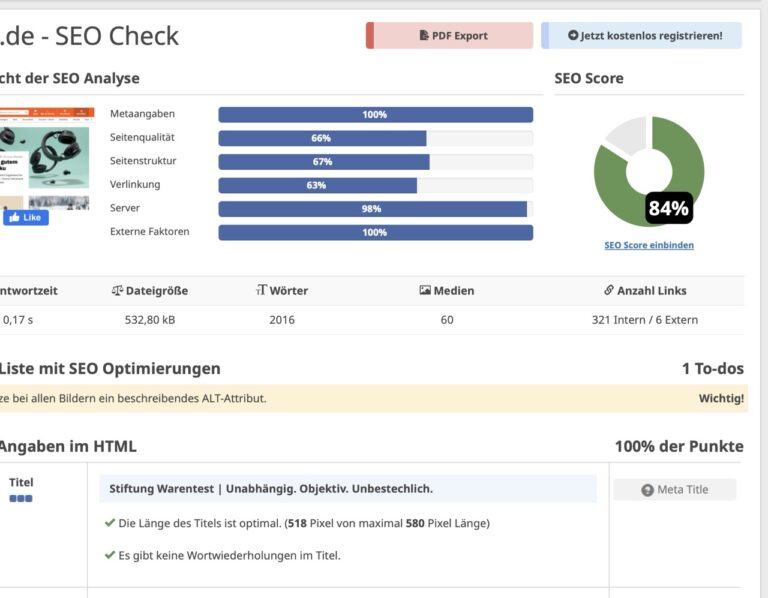
SEO check from Seobility
Detailed analysis of your website for presentation and visibility for search engines. Free of charge and without having to create an account. Immediate evaluation.
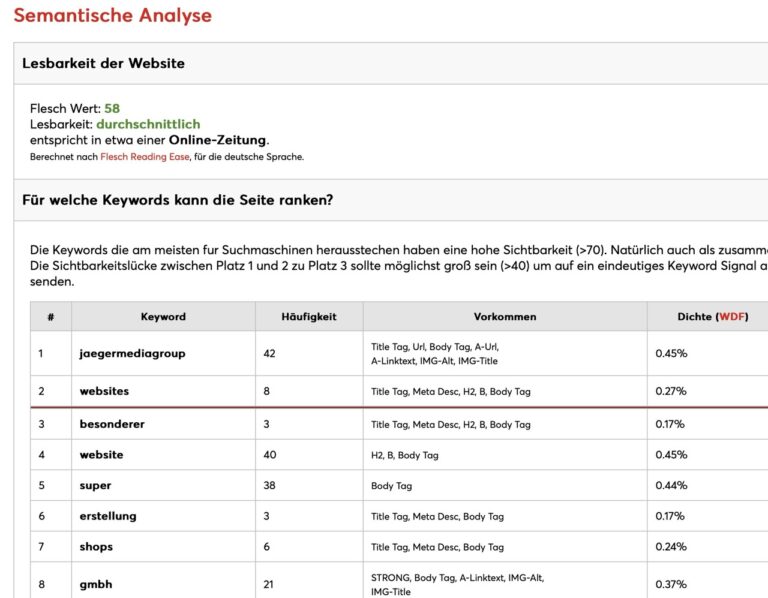
SEO check from SEORCH
Very detailed analysis of your website for presentation and visibility for search engines. Free of charge and without having to create an account. Immediate evaluation.
#3 Security your website
Do you hope your website is secure?
In the digital world, security is crucial.
That's why we equip your website with the latest protection technology:
- Firewall: Blocks unwanted access
- Bot and hacking protection: Stops automated attacks in real time
- Virus scanner: Stops and deletes viruses and malware from the server
- DDoS protection: Secure protection against large-scale attacks
But do the website check for basic security.
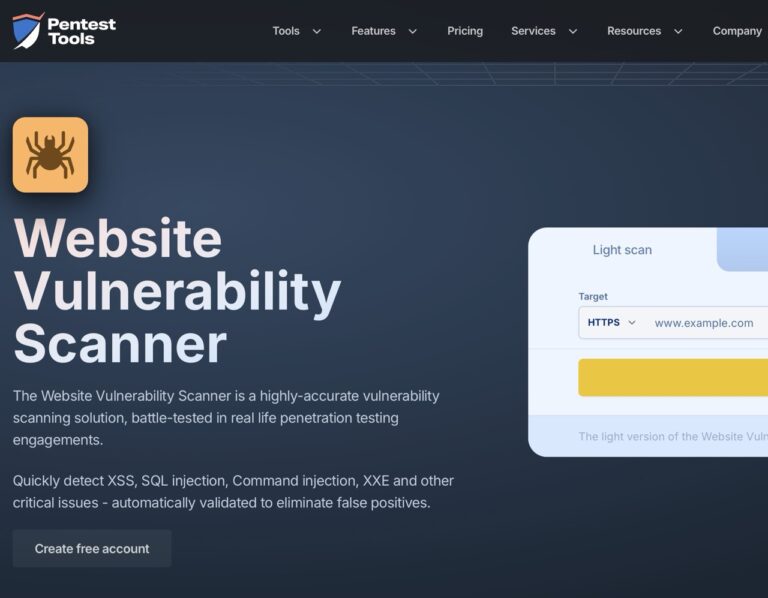
Website vulnerability scanner from Pentest
Use the Website Vulnerability Scanner to identify vulnerabilities in your website's code.
Quickly detect XSS, SQL injection, command injection, XXE and other critical issues - automatically validated to eliminate false positives.
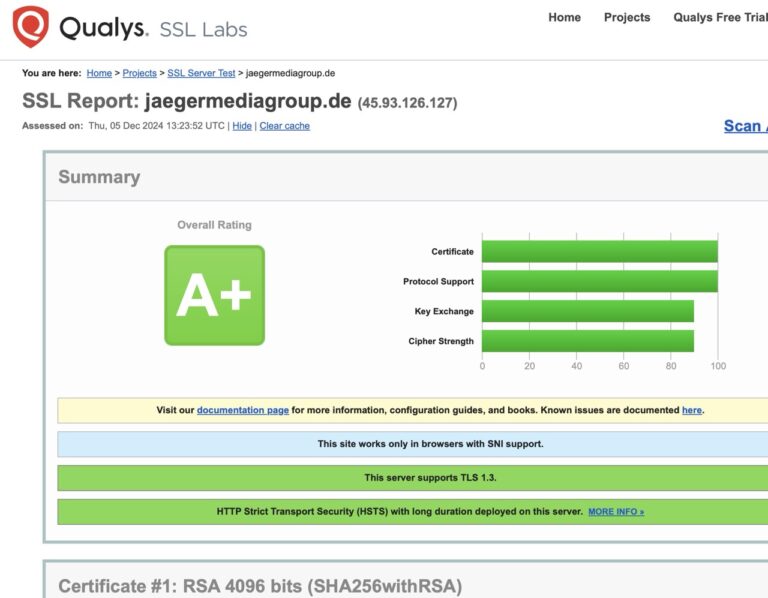
SSL check from Qualys SSL Labs
This free online service performs an in-depth analysis of your SSL web server configuration and checks which certificates are missing or incorrect.
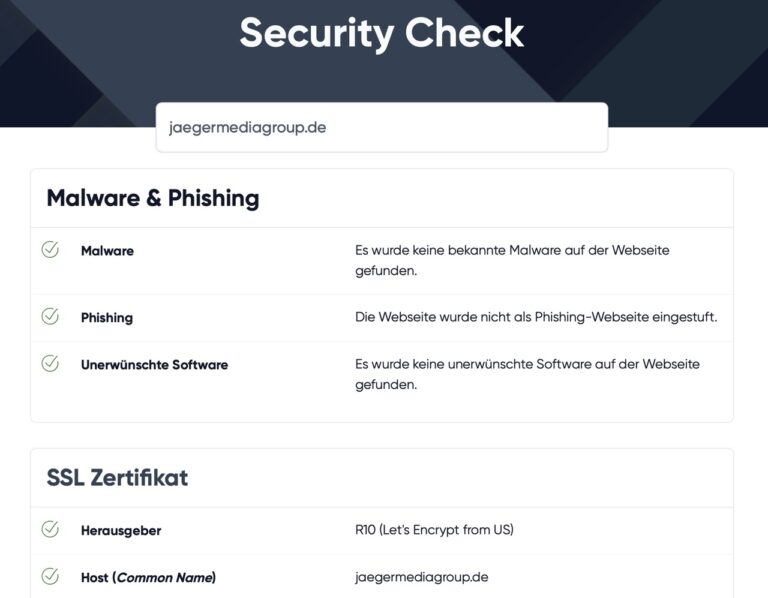
Security check by an expert
With the EXPERTE.de Website Security Check you can determine how secure your website is. This involves checking whether malware has been found on your website, whether your site appears on blacklists, how secure your SSL certificate is or whether you are using the correct HTTP security headers.
Competitive? What conclusion do you draw?
Because in the end it's not the test report that counts - it's the success of your website.

Website Check: Ultimate Guide to Your Success!
Discover the ultimate guide for your website check. Learn how to optimize your website and increase your online success. Read now and improve!
Why is a website check crucial to your online success?
A Website check is indispensable today to your Online presence to make it successful. Your website needs to function optimally on all levels – from the technical performance up to User experience. Aspects like this also play a role Search engine optimization (SEO) and the protection of user data plays a central role.
A website check will help you Vulnerabilities be recognized early, be it in terms of loading speed, mobile optimization or the requirements of the GDPR. Without regular checks, you risk poorer search engine rankings, lost users due to poor usability or expensive fines.
With the right tools and a systematic approach, your website will always stay up to date and support your goals. In this guide, you'll learn how to optimize your website to ensure long-term online success.
Technical review: ensuring basic functionality
One technical review Your website is crucial to ensuring all basic functionality smoothly work. Here are some key areas to pay special attention to.
Loading time and performance
The Loading time Your website is a critical factor that affects both the User experience as well as influences search engine rankings. Slow loading time can lead to a higher bounce rate and lower SEO rankings. Use tools like Google PageSpeed Insights or LT Browserto analyze your website loading time and get optimization suggestions.
- Optimize images and media: Large files can significantly slow down loading time. Compress images and optimize multimedia files to improve loading time.
- Minify CSS and JavaScript: Use tools to minify and bundle CSS and JavaScript files, which reduces the number of requests to the server.
- Use Content Delivery Networks (CDNs): CDNs can reduce loading time by distributing content across multiple servers worldwide.
Mobile compatibility
The Mobile compatibility Your website is essential in a world where mobile devices are the main source of internet traffic. A mobile-friendly design ensures that your website displays correctly and is user-friendly on different devices and screen sizes.
- Viewport configuration: Make sure the viewport meta tags are configured correctly to ensure optimal viewing on different screen sizes.
- Touch-friendly elements: Check that all clickable elements such as buttons and links are large enough and spaced apart enough to allow for easy operation.
- Responsive design: Use a responsive design that adapts to different screen sizes to ensure an optimal user experience on smartphones, tablets and laptops.
SEO optimization
A good one SEO optimization is crucial to improving your website in search engine rankings and generating more organic traffic.
- Meta information and titles: Make sure all pages have accurate and inviting meta titles and descriptions that accurately reflect the content of the page.
- Indexing problems: Check that all pages are indexed correctly by search engines. Use tools like this Google Search Consoleto identify and resolve indexing errors.
- Content relevance and quality: Make sure your website content is relevant, unique and high quality. This helps improve user experience and increase search engine rankings.
By regularly checking and optimizing these technical aspects you can ensure that your website is always up to date and effectively achieves your goals.
Usability check: Improving the user experience
A Usability check is essential to ensure your website user friendly and is intuitive. Here are some key areas to pay attention to when reviewing user experience.
Navigation structure
A clear and logical one Navigation structure is crucial to improve user experience. Make sure the navigation is easy to understand and use.
- Consistency: Make sure navigation menus and elements are distributed consistently throughout the site. This helps users find their way around quickly.
- Simplicity: Avoid overly complex menus and submenus. A flat navigation structure can make orientation easier and increase user satisfaction.
- Search function: An effective search function can help users quickly find what they are looking for. Make sure the search function is prominently placed and easily accessible.
Content review
The content of your website must clear, relevant and be easy to understand. Here are some points to consider when reviewing content:
- Clear and precise language: Use language that is understandable to your target audience. Avoid technical jargon or complex terms that might confuse users.
- Structured content: Organize your content into logical sections and use headings, subheadings, and lists to improve readability.
- Visual elements: Incorporate images, videos, and other visual elements to complement the content and enrich the user experience. However, make sure that these items do not affect loading time.
Interaction points
Interaction points such as buttons, forms and calls to actions (CTAs) are crucial to the user experience. Here are some tips to optimize these elements:
- Clearly defined CTAs: Make sure your CTAs are clear and inviting. Use clear and direct language to show users what to do next.
- User-friendly forms: Forms should be easy and quick to fill out. Reduce the number of required fields and offer autocomplete features to speed up the process.
- Feedback and confirmations: Give users feedback and confirmations when they take actions, such as: B. submitting a form or adding an item to the shopping cart. This helps increase user satisfaction and trust in the website.
By carefully reviewing and optimizing these areas, you can ensure your website is a positive and efficient user experience offers.
Security and privacy: Protect your users and yourself
The Security and the Data protection Your website is crucial to gaining the trust of your users and meeting legal requirements. Here are some key areas to pay special attention to.
SSL certificates and HTTPS
A SSL certificate and the use of HTTPS are fundamental measures to protect your users' data and increase trust in your website.
- Data encryption: SSL certificates encrypt the data exchanged between users and your web server, preventing unauthorized third parties from accessing this data.
- Secure Transactions: For e-commerce sites, HTTPS is essential to protect payment data and personal information during transactions.
- SEO benefits: Google favors secure websites in search engine rankings, giving HTTPS-enabled sites a visibility advantage.
- Browser warnings: Without SSL, modern browsers will mark your website as “Not Secure,” which can prevent users from interacting with your website.
Privacy Policy and Compliance
A clear and transparent one Privacy Policy is necessary to ensure compliance with legal requirements such as the GDPR (General Data Protection Regulation).
- Transparency: Make sure your privacy policy is clear, understandable and contains all relevant information, such as: B. the type of data collected, the purpose of data collection and the rights of users.
- Cookie banner: Implement a cookie banner that informs users about the use of cookies and obtains their consent. This is particularly important to meet GDPR requirements.
- Compliance tools: Use consent management tools to simplify obtaining consent for cookies and other tracking technologies and to ensure all legal requirements are met.
Regular security audits
Regular Security audits are crucial to ensuring your website is always protected from the latest threats.
- Vulnerability analyses: Conduct regular vulnerability assessments to identify and remediate potential vulnerabilities in your website. Use tools like Web Application Firewalls (WAF) and Intrusion Detection Systems (IDS) to block malicious traffic and detect anomalies.
- Log audits: Periodically review server logs to identify unusual activity and address potential security issues.
- Penetration testing: Conduct regular penetration testing to test your website's security in realistic scenarios and identify vulnerabilities before they can be exploited by attackers.
By implementing these measures, you can ensure that your website and your users' data are optimally protected and that you meet legal requirements.
Conclusion: Continuous monitoring and improvement
Comprehensive website optimization is not a one-time process; continuous task, which requires regular monitoring and improvement. To ensure the maximum success of your online presence, you should several important aspects keep an eye on.
- Technical aspects: Make sure your website is technically up to date by regularly updating the Loading time, the Mobile compatibility and the Securitycheck. An SSL certificate and a secure HTTPS connection are essential.
- User Experience: One user friendly and intuitive navigation structure, clear and relevant content and optimized interaction points are crucial for the satisfaction and engagement of your visitors.
- Security and privacy: Protect your users’ data through GDPR compliance and regular security audits. A transparent cookie banner and a clear data protection declaration are essential.
- SEO and analysis: Conduct regular SEO audits and use tools like Google Analyticsto analyze user behavior and make data-based decisions. Targeted keyword research and content optimization are also important decisive for better search engine rankings.
By continually monitoring and improving these areas, you can ensure that your website is always works optimally, increasing user satisfaction and achieving long-term online success. Start optimizing your website today and continually experiment to achieve maximum ROI.
FAQ
How can I check a website?
To check a website, you can use various tools and methods:
- Use browser-native security tools like this Padlock icon in Firefox or Chrome, that one secure connection displays.
- Take advantage VirusTotalto scan a URL for security risks.
- Check the website with Googles Safe browsing toolto check the security status.
- Analyze performance and SEO with tools like Google PageSpeed Insights, GTmetrix and the Google Search Console.
- Use that Developer tools in browsers like Chrome to examine elements, network activity and performance.
How can I check the authenticity of a website?
To check the authenticity of a website, pay attention to the following aspects:
- Check the URL for spelling errors and unusual symbols.
- Make sure the website is one valid SSL certificate and the connection is secure.
- Compare that design and the identification features with the official website.
- Check the contact information and make sure it matches the official data match.
- Use online tools like Scamvoid, URLVoid or that Google Safe Browsing Transparency Reportto check the reputation and security of the website.
- Read Reviews and reviews from other users.
How can I examine a website?
To examine a website, you should combine several methods:
- Behavior analysis: Use tools like Hotjar for heatmaps, session recordings and on-site surveys to understand how users navigate the website and what motivates or deters them.
- Usability testing: Conduct task analysis, context analysis, focus groups, user diaries, or asynchronous usability testing to assess usability.
- Web controlling and log file analysis: Use tools to see where visitors come from, which areas of the website they visit, and how often and for how long which subpages are viewed.
- Small surveys and microfeedbacks: Conduct short surveys or build feedback options on the website to gain important insights into the user experience.
Where can I test websites?
You can test websites using tools like Katalon Platform, Selenium, Cypress, Playwright and TestCafe. These tools offer features like automated end-to-end testing, Cross-browser testing and CI/CD integration.