
Creating a WordPress website: The complete guide for 2026
Last updated: January 15, 2026
Anyone who needs a professional online presence today is faced with an important decision: do it yourself or have a WordPress website created? The answer is not always easy, because WordPress has evolved massively in 2026. With over 43% of all websites worldwide based on WordPress and a market share of around 60% for content management systems, the platform is more dominant than ever.[4] At the same time, the requirements have increased: users expect loading times of less than 0.5 seconds, accessibility has been legally mandatory since 2025 through the European Accessibility Act, and modern security standards are non-negotiable.[2]
One Have a WordPress website created 2026 means more than just getting a pretty design. It's about performance optimization with AVIF 2.0 image formats, AI-supported adjustments to user behavior, headless architectures for multi-channel strategies and sustainable hosting solutions that are now standard.[2][3]
Key takeaways
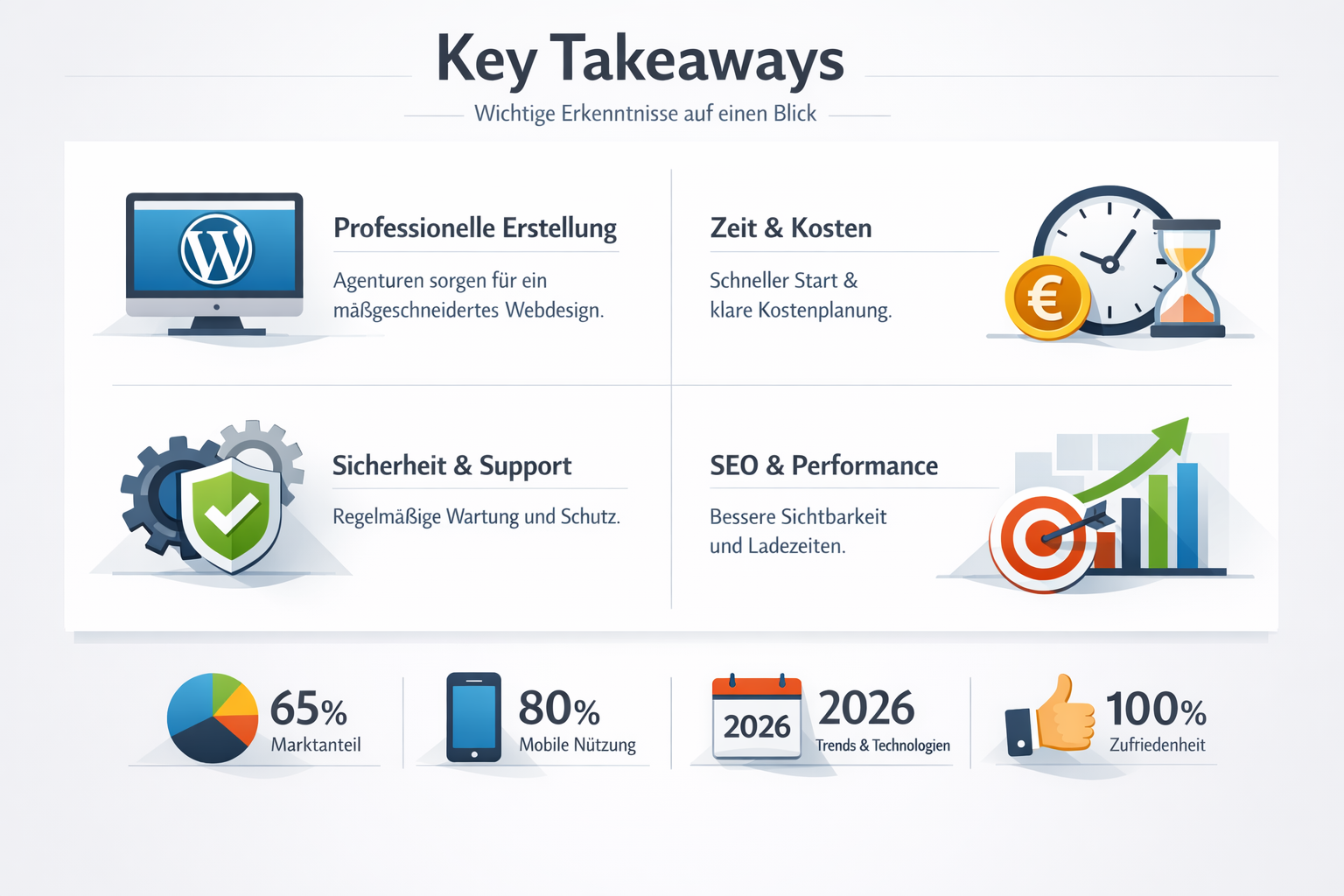
- WordPress will dominate in 2026 with 43% of all websites worldwide, but professional implementation requires expertise in performance, security and legal compliance
- Costs vary greatly: From €500 for simple freelance projects to €15,000+ for complex agency solutions with individual functions
- New standards are mandatory: Accessibility according to WCAG 2.1 AA (EAA 2025), loading times under 0.5 seconds, modern image formats and green hosting
- The trend is towards lightweight solutions: Away from resource-intensive page builders towards custom code and native block themes for better performance[2]
- Long-term care is crucial: Security updates, performance monitoring and technical support make the difference between a successful and a problematic website
Quick Answer: Should I have my WordPress website built?
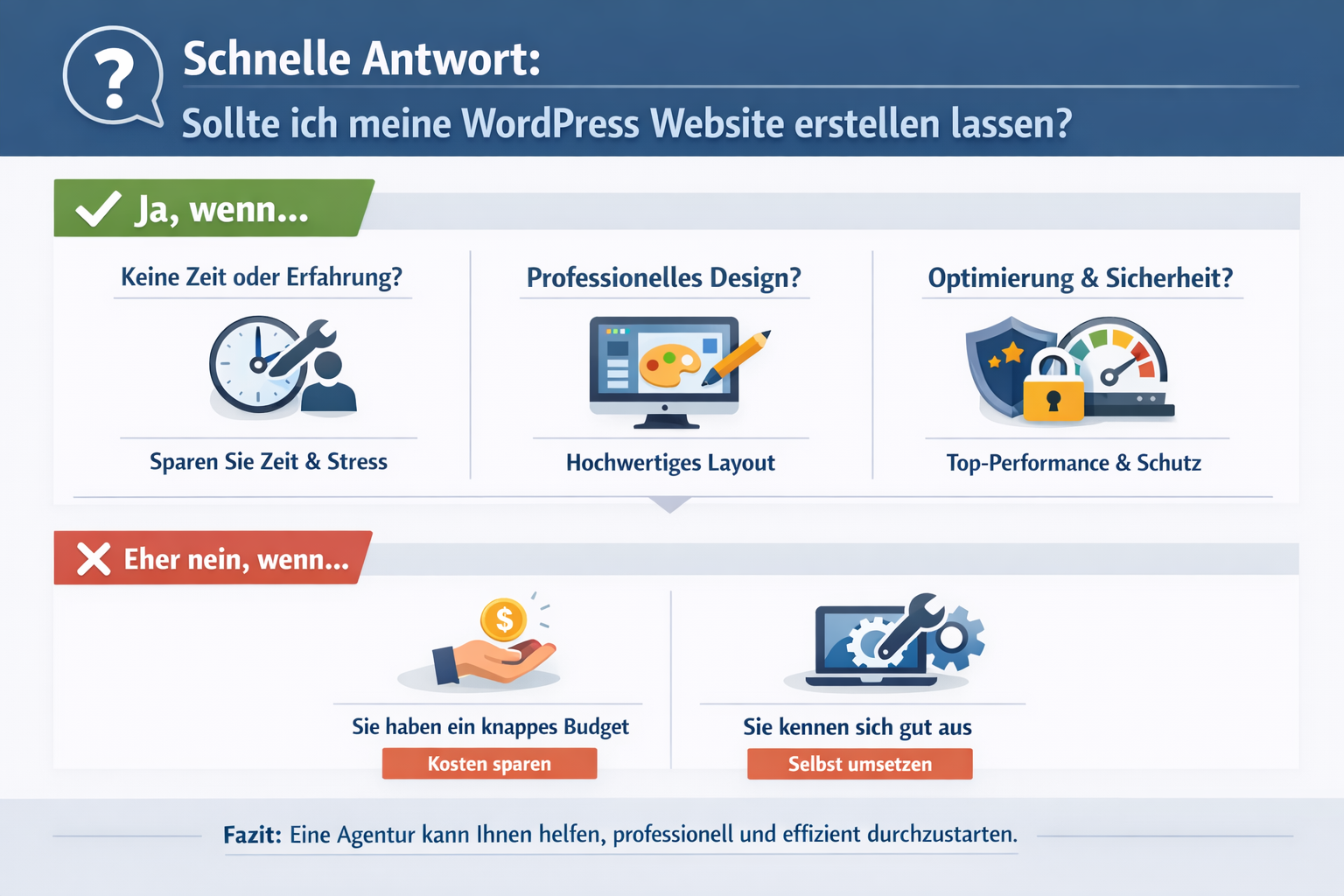
Yes, if you value professional quality, legal security and long-term performance. A professionally created WordPress website meets all current standards in 2026 (accessibility according to EAA, GDPR compliance, performance optimization) and saves you hundreds of hours of training. The investment is particularly worthwhile for companies that use their website as a central marketing tool and have no time for technical details.
Creating it yourself only makes sense if you already have previous technical knowledge, can invest time in continuous training and are prepared to deal with topics such as server optimization, security and legal requirements.
How much does it cost to have a WordPress website created?
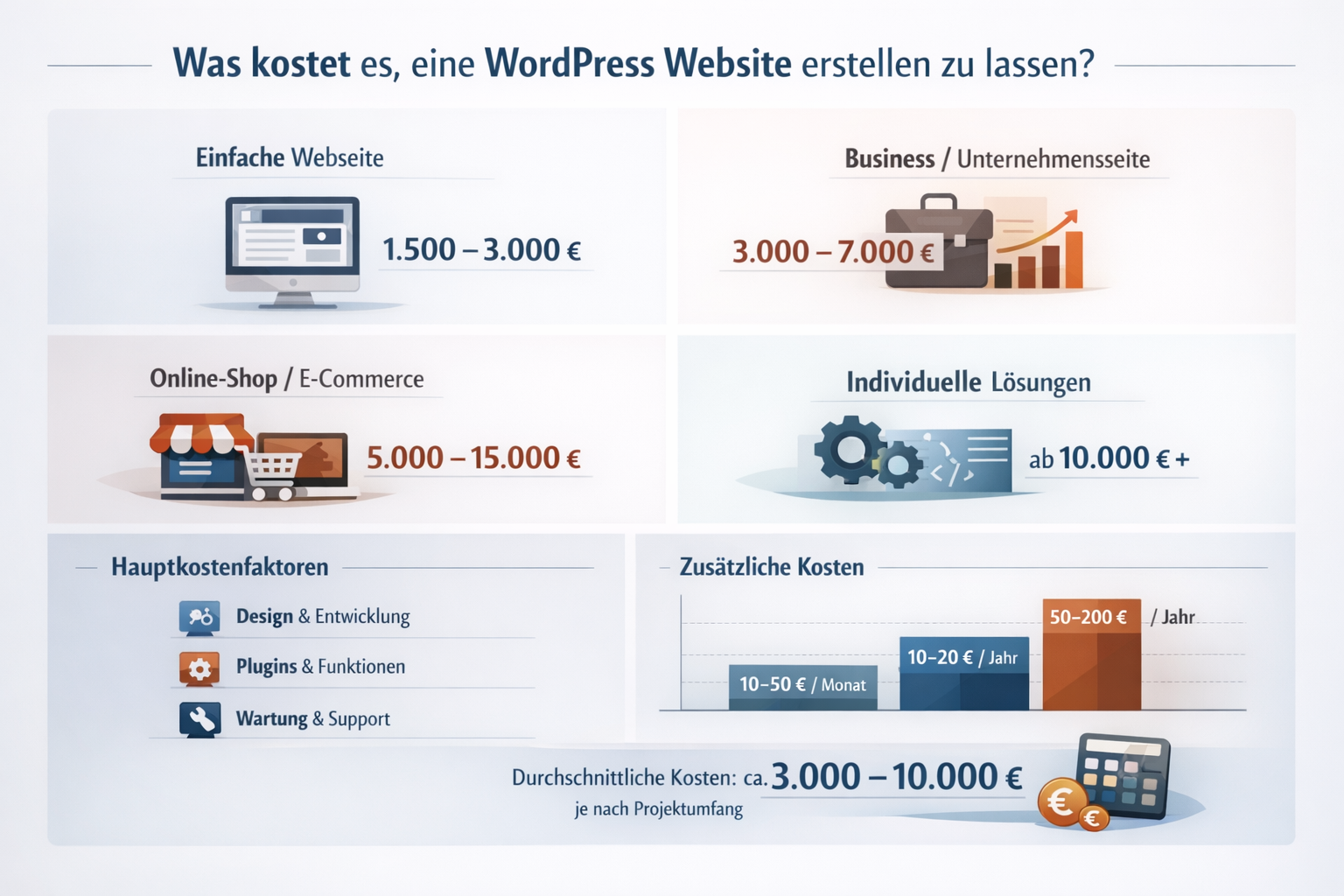
The cost of a professionally built WordPress website varies between 500€ and 15,000€+, depending on scope, functionality and provider. A simple business website with 5-10 pages typically costs €2,000 to €5,000, while complex projects with custom functions, e-commerce integration or multilingual versions cost significantly more.
Price overview by provider type
| Provider type | Price range | Suitable for | Typical services |
|---|---|---|---|
| Freelancer | €500 – €3,000 | Small projects, simple websites | Basic theme, standard plugins, basic SEO |
| Small agency | €2,000 – €8,000 | SME, professional business sites | Custom design, performance optimization, GDPR setup |
| Great agency | €5,000 – €15,000+ | Companies, complex projects | Strategy consulting, individual development, multichannel |
| Special provider | €3,000 – €10,000 | Industry-specific (doctors, lawyers, trades) | Industry knowledge, specialized functions, compliance |
Don't forget ongoing costs
In addition to the creation, there are monthly costs:
- Hosting: €10 – €100/month (depending on performance requirements)
- Maintenance & Updates: €50 – €300/month
- Premium plugins: 20€ – 100€/month
- Backup & Security: 10€ – 50€/month
Decision rule: Choose a freelancer if your budget is under €3,000 and you need a simple website. Go to the agency if you need long-term support, strategic advice or complex functions. For specialized industries (doctors, lawyers), specialist providers with industry knowledge are often the best choice because they know legal requirements.
You can find more details about professional website costs in our Guide to creating a professional website.
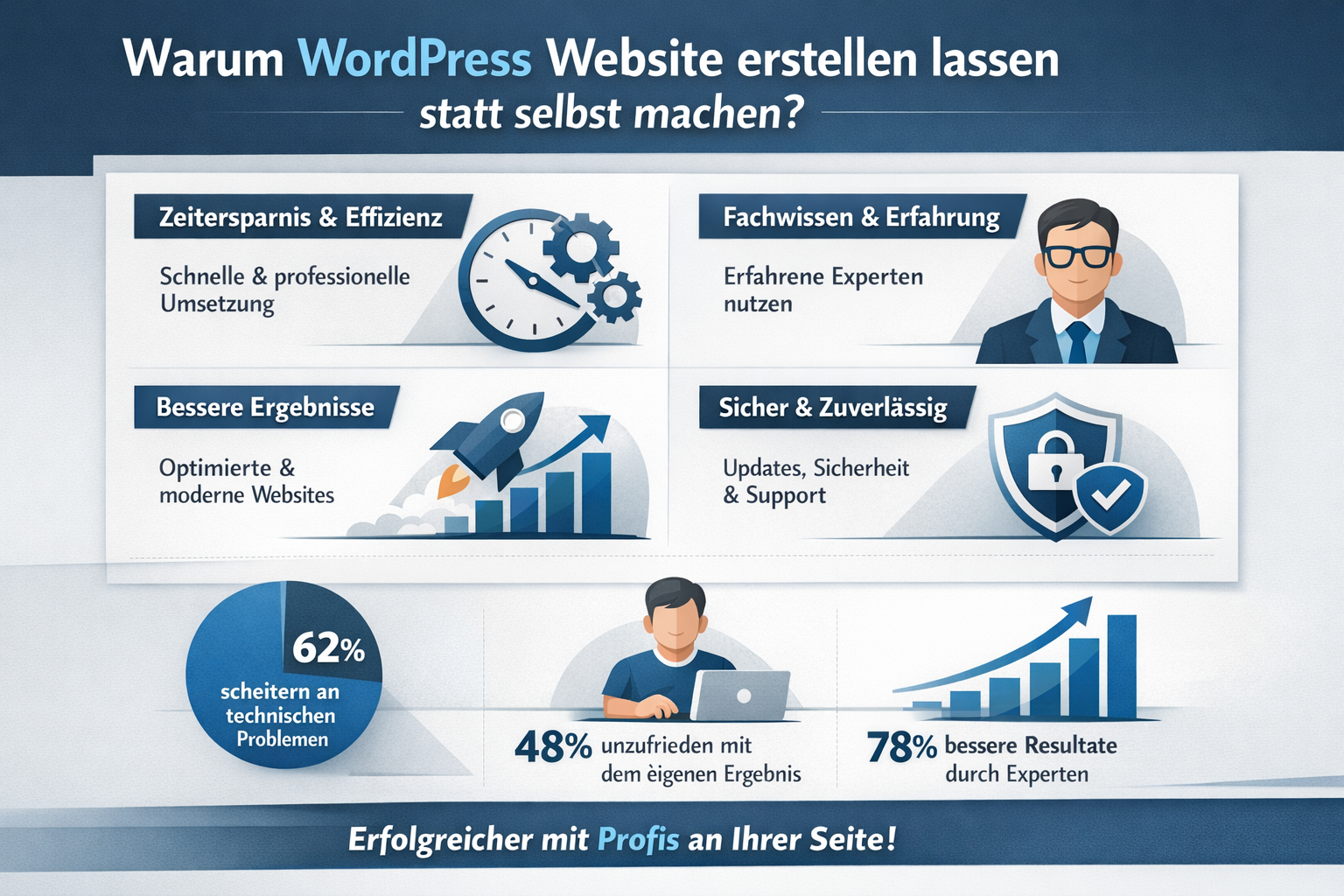
Why have a WordPress website created instead of doing it yourself?
Creating a WordPress website yourself seems temptingly cheap, but it costs realistically 80-200 hours of training and implementation for someone with no prior knowledge. Professionals complete the same project in 20-40 hours and deliver higher quality because they understand current best practices and avoid common mistakes.
The hidden costs of doing it yourself
Time investment: Even with YouTube tutorials and online courses, you need time for:
- Learn WordPress basics (10-20 hours)
- Theme selection and customization (15-30 hours)
- Plugin configuration and compatibility (10-20 hours)
- Security setup and GDPR compliance (8-15 hours)
- Performance optimization (5-10 hours)
- Troubleshooting and problem solving (20-40 hours)
Differences in quality: Professional developers use 2026:
- Lightweight block themes instead of resource-intensive page builders
- AVIF 2.0 and modern image formats for faster loading times[2]
- Server-side caching and code optimization
- AI-powered adjustments for different types of users[2]
- Headless architectures for multi-channel strategies[3][5]
Legal risks: Without expertise you risk:
- Violations of the European Accessibility Act (mandatory with fines since 2025)[2]
- GDPR issues with cookie banners and data protection
- Warnings due to lack of accessibility
- Security gaps caused by outdated plugins
When is it worth doing it yourself?
Create your WordPress website yourself if you:
- Already have basic knowledge of HTML/CSS
- You can invest time in continuous training (WordPress is constantly changing)
- You have a very small budget (under €500)
- See the website as a learning project, not a business tool
- Are you willing to look for solutions to problems yourself?
Common mistake: Many people underestimate ongoing maintenance. A WordPress website needs regular updates (plugins, themes, core), security monitoring and performance checks. That's at least 2-4 hours per month, even after creation.
For professional requirements we recommend one Create a WordPress website, especially if your website is business critical.
What is the process when I create a WordPress website?
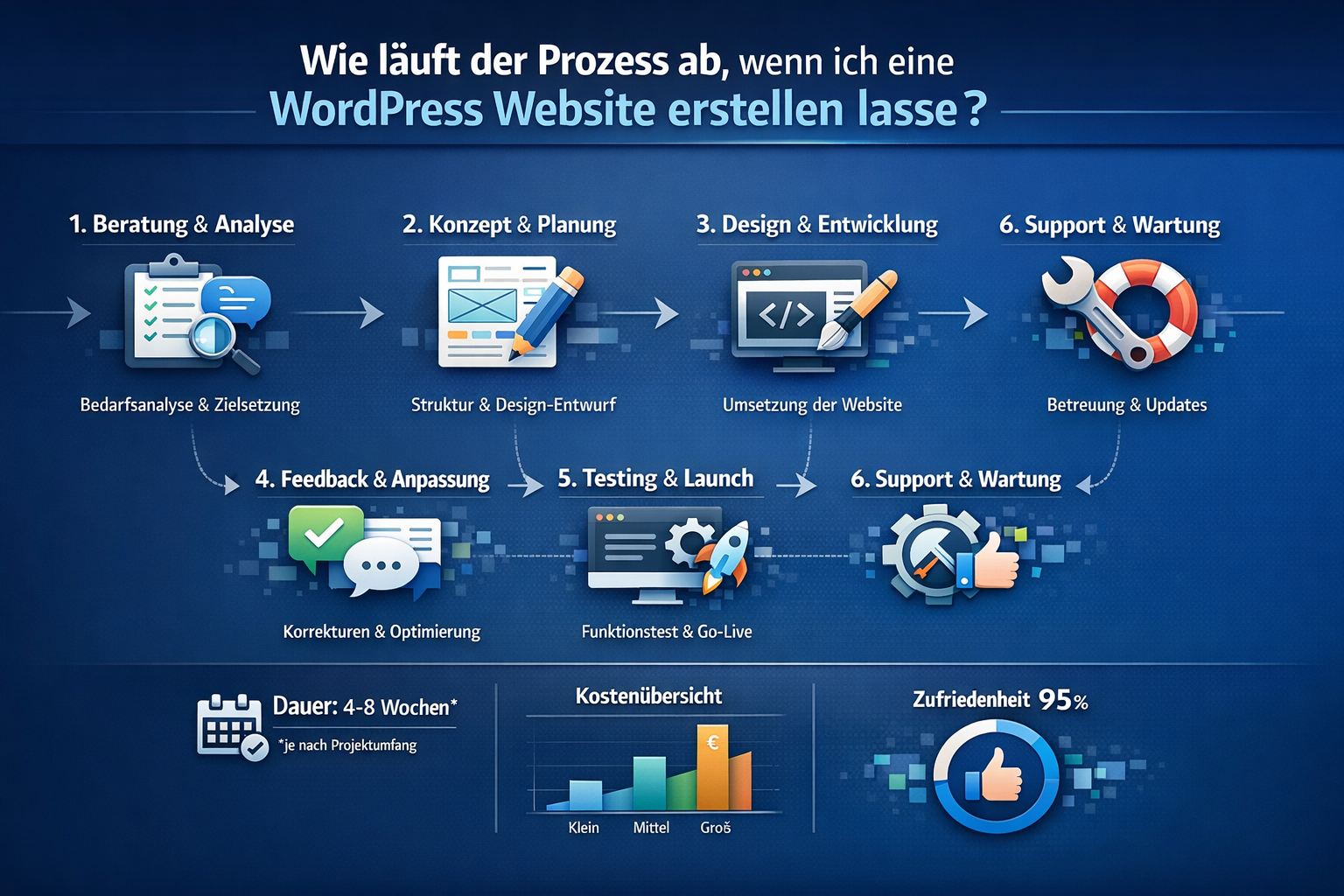
The typical process takes time 4 to 12 weeks from the first inquiry to the launch and goes through five clearly defined phases. Professional agencies work with structured workflows to avoid delays and implement your requirements precisely.
The 5 phases in detail
Phase 1: Briefing & conception (1-2 weeks)
- Kick-off meeting to define goals
- Target group analysis and competition check
- Sitemap creation (determine page structure)
- Document functional requirements
- Finalize budget and timeline
Phase 2: Design & Mockups (2-3 weeks)
- Moodboard with color palette and typography
- Wireframes for key pages
- Design drafts (usually 2-3 variants to choose from)
- Feedback rounds and adjustments
- Final design approval
Phase 3: Development & Implementation (2-4 weeks)
- WordPress installation and hosting setup
- Theme development or customization
- Plugin integration (SEO, security, performance)
- Content input (texts, images, videos)
- Functional programming (forms, custom post types, etc.)
Phase 4: Testing & Optimization (1-2 weeks)
- Browser testing (Chrome, Firefox, Safari, Edge)
- Responsive testing (desktop, tablet, mobile)
- Performance optimization (goal: less than 0.5 seconds loading time)[2]
- Accessibility check according to WCAG 2.1 AA[2]
- GDPR compliance check
- SEO basic settings
Phase 5: Launch & handover (1 week)
- Final acceptance by customers
- Domain conversion and DNS configuration
- Training for content maintenance
- Documentation and password transfer
- Monitoring setup for the first few weeks
What you as a customer have to contribute
For the process to run smoothly, you need:
- Content material: texts, images, logos (or budget for creation)
- Feedback capacity: Timely feedback on design drafts (within 3-5 days)
- Accesses: hosting, domain, existing tools
- Decision-making authority: Clear contact persons who can grant approvals
Common reason for delays: Missing or delayed content delivery. If you don't provide text and images on time, the project will be delayed for weeks. Professionals often offer content creation as an additional service (extra charge €500 – €3,000).
Tip: Agree on fixed milestones with payment terms (e.g. 30% upon order, 40% after design approval, 30% after launch). This protects both sides and ensures clear expectations.
For ongoing support after launch, see our Guide to creating and maintaining a website.
What functions should a professional WordPress website have in 2026?
A professional WordPress website must be in 2026 four non-negotiable basic requirements meet: Performance under 0.5 seconds loading time, complete accessibility according to WCAG 2.1 AA, GDPR compliance and mobile-first design. Everything else are optional additional functions that depend on your business model.
Mandatory features for all websites
✅ Performance optimization
- AVIF 2.0 image formats for smaller file sizes[2]
- Server-side caching (Redis or Varnish)
- Code minification (CSS, JavaScript)
- Lazy loading for images and videos
- Content Delivery Network (CDN) integration
✅ Accessibility (legally mandatory since EAA 2025)[2]
- Screen reader compatibility
- Keyboard navigation for all functions
- Sufficient contrasts (WCAG 2.1 AA standard)
- Alternative texts for all images
- Clear heading hierarchy
More about accessibility in our Accessible website guide.
✅ GDPR compliance
- Cookie banner with consent management
- Data protection declaration (legally secure)
- imprint
- SSL encryption (HTTPS)
- Secure forms without data leaks
Details about this in our GDPR Compliance Guide.
✅ Mobile-first design
- Responsive layout for all screen sizes
- Touch-optimized navigation
- Readable font sizes on small displays
- Fast loading times even with 4G
Industry-specific additional functions
For service providers (doctors, lawyers, consultants):
- Online appointment booking
- Contact forms with data protection information
- Team introduction with qualifications
- FAQ sections for common questions
Especially for doctors: Professional website for doctors
For craftsmen and local businesses:
- Google My Business Integration
- Project portfolio with before and after pictures
- Rating widgets
- Location map and directions
More about this: Web design for craftsmen
For e-commerce:
- WooCommerce or Shopify integration
- Payment gateways (PayPal, Stripe, Klarna)
- Product filter and search
- Shopping cart optimization
Details: Have an online shop created
Modern features for 2026
AI-powered adjustments: Professional websites use AI in 2026 to dynamically adjust layouts based on user behavior (different display for first-time visitors vs. returning visitors).[2]
Headless WordPress: For companies with multi-channel strategies (website, app, newsletter), WordPress is used as the content backend, while the frontend is optimized separately.[3][5]
Biometric logins: Modern security features such as fingerprint or facial recognition for protected areas.[2]
Dark mode: Automatic switching based on user preferences.
Micro animations: Subtle movements that make interactions more fluid without sacrificing performance.
Decision rule: Start with the mandatory features (performance, accessibility, GDPR, mobile-first). Add industry-specific features that your target audience expects. Only invest in modern features if they offer clear added value for your users.
Common mistake: Installing too many plugins. Each plugin slows down your website and increases security risks. The trend in 2026 is increasing consolidated hosting platforms, which natively integrate backups, caching, staging and security instead of relying on dozens of separate plugins.[3]
Have a WordPress website created: freelancer or agency?
The choice between freelancer and agency depends on Project size, budget and long-term strategy away. Freelancers are ideal for budgets under €3,000 and simple projects, while agencies are superior when it comes to complex requirements, team capacity and long-term support.
Freelancing: advantages and disadvantages
Advantages:
- Lower costs: 30-50% cheaper than agencies
- Direct communication: One contact person for everything
- flexibility: Often faster adjustments for small changes
- Personal care: Closer collaboration possible
Disadvantages:
- Limited capacity: Can only manage 1-3 projects at a time
- Illness/vacation: Project stops if freelancer fails
- specialization: Usually not an expert in all areas (design, development, SEO, copywriting)
- Long-term availability: Can change agency or leave industry
Choose a freelancer if:
- Your budget is under €3,000
- You need a simple business website (5-10 pages)
- You have a basic technical understanding yourself
- You are flexible with timelines
Agency: advantages and disadvantages
Advantages:
- Team expertise: Specialists in design, development, SEO, content
- Scalability: Can handle large projects in parallel
- Resiliency: Team compensates for vacation/sickness
- Long-term care: Structured maintenance and support
- Strategic advice: Experience from hundreds of projects
Disadvantages:
- Higher costs: 50-100% more expensive than freelancers
- Communication overhead: Multiple contacts possible
- Less flexibility: Changes go through processes
- Minimum budgets: Many agencies do not accept projects under €5,000
Choose an agency if:
- Your budget is over €5,000
- You need complex functions (e-commerce, custom development, multichannel)
- Long-term care is important
- You are looking for strategic advice, not just implementation
Hybrid solution: Specialized service providers
For certain industries, there are specialized providers who combine freelance prices with agency expertise:
- Doctors: Provider with medical industry knowledge
- Lawyers: Firm-specialized web designers
- Real estate agent: IDX integration and object databases
- Handyman: Portfolio focus and local SEO expertise
These usually cost €3,000 - €8,000 and have industry-specific requirements (e.g. confidentiality for doctors, imprint requirements for lawyers).
Decision matrix:
| criterion | Freelancer | agency | specialist |
|---|---|---|---|
| budget | < €3,000 | > €5,000 | €3,000 – €8,000 |
| complexity | Simply | High | Medium |
| Timeline | Flexible | Firmly | Medium |
| Long-term support | Unsure | Guaranteed | Mostly yes |
| Industry expertise | Varies | Broad | Deep |
Tip: For freelancers, check the portfolio for similar projects. At agencies, ask about specific contact persons and processes. For both: Get at least 3 offers and compare not only prices but also the scope of services.
For professional implementation we recommend ours Have a professional homepage created Services.
What mistakes should I avoid when creating a WordPress website?
The three most common and costly mistakes are: define requirements that are too vague, choose the cheapest provider without a portfolio check and do not make a maintenance agreement. These mistakes lead to rework, hidden costs and long-term problems.
Mistake 1: Unclear requirements
problem: “I need a modern website” is not a sufficient basis for the briefing. Without clear requirements, misunderstandings arise that lead to expensive improvements.
Solution: Define before requesting:
- Goal of the website: Lead generation? E-commerce? Information portal?
- Target group: Who should use the website? (Age, affinity for technology, needs)
- Specific pages: Which subpages do you need? (Home, About us, Services, Contact, Blog?)
- Features: Which features are mandatory? (Contact form, appointment booking, shop?)
- Content: Who supplies texts and images? (You or agency?)
- Budget range: Give a realistic price range
Checklist for your briefing:
- Goal of the website defined
- Target group described
- Sitemap created with all pages
- Must-have vs. nice-to-have functions separately
- Content responsibility clarified
- Budget range set (e.g. €3,000 – €5,000)
Mistake 2: Decide only based on price
problem: The cheapest provider often saves in critical areas (performance, security, accessibility), which later leads to additional costs due to improvements or legal problems.
Solution: Check for each offer:
- Portfolio: Has the provider implemented similar projects?
- References: Can you talk to previous customers?
- Scope of services: What is included? (Hosting setup, GDPR, accessibility, training?)
- technology: Which tools are used? (Lightweight themes or heavy page builders?)
- maintenance: Is ongoing support included or extra?
Warning signs:
- No live examples in the portfolio
- Promises like “Website ready in 24 hours”
- Extremely low prices (under 500€ for business website)
- No mention of GDPR or accessibility
- Communication only via automated email
Mistake 3: No maintenance agreement
problem: WordPress needs regular updates (core, plugins, themes). Without maintenance, security gaps, performance problems and, in the worst case, complete website failures arise.
Solution: Clarify before signing the contract:
- Who does updates? (You, agency, automatically?)
- How often? (Monthly, immediately for critical security updates?)
- How much does it cost? (€50 – €300/month depending on the scope)
- What is included? (Backups, security monitoring, performance checks?)
- Response time to problems? (24h, 48h, 1 week?)
Standard maintenance package should be included:
- Weekly backups
- Monthly updates (plugins, themes, core)
- Security monitoring
- Performance checks
- Support for problems (e-mail, max. 48h response time)
Other common errors
Mistake 4: Installing too many plugins
The trend in 2026 will be towards consolidated platforms instead of dozens of individual plugins.[3] More than 15-20 plugins are usually a warning sign of poor architecture.
Mistake 5: Using outdated page builders
Elementor, Divi and similar tools will be out in 2026. Professionals use lightweight block themes or custom code for better performance.[2]
Mistake 6: Ignoring accessibility
Since the European Accessibility Act 2025, you risk fines if there is no accessibility.[2] Fixing this later often costs more than doing it right from the start.
Mistake 7: Not planning training
If you don't know how to change content after launch, you will be permanently dependent on the agency. Arrange at least 2-3 hours of training for content maintenance.
Decision rule: Invest time in a detailed brief, compare offers based on quality (not just price) and secure long-term maintenance. The 2-3 hours of preparation will save you months of hassle and thousands of euros in repairs.
What happens after launching my WordPress website?
After the launch it begins continuous optimization and maintenance phase, which is at least as important as the creation itself. A WordPress website is not a finished product, but a living system that needs regular maintenance, updates and adjustments.
The first 30 days after launch
Week 1-2: Monitoring & Troubleshooting
- Performance tracking: Measure loading times in different regions
- Browser testing: Latest compatibility checks in all common browsers
- Mobile testing: Check functionality on real devices
- Analytics setup: Configure Google Analytics or alternative
- Search Console: Sign in to Google and monitor indexing
- Error monitoring: 404 errors, broken links, identify form problems
Week 3-4: First optimizations
- SEO fine-tuning: Optimize meta descriptions, alt texts, internal linking
- Content adjustments: Based on initial user feedback
- Conversion optimization: Test and adapt call-to-actions
- Speed tuning: Further performance improvements based on real data
Ongoing maintenance (monthly/quarterly)
Monthly tasks:
- Install updates: WordPress Core, Plugins, Themes (critical security updates immediately)
- Check backups: Make sure automatic backups work
- Security scan: Check for malware and security vulnerabilities
- Performance check: Monitor loading times and react if they deteriorate
- Uptime monitoring: Check whether website was always accessible
Quarterly tasks:
- Content audit: Update or remove outdated content
- SEO review: Check rankings, identify new keywords
- Analytics analysis: Traffic development, user behavior, conversion rates
- Accessibility check: Check new WCAG standards
- Plugin review: Uninstall unused plugins, find alternatives for outdated ones
Long-term development
Annual tasks:
- Design refresh: Trends change, the design should be modernized every 2-3 years
- Technology update: Check hosting plan, switch to better infrastructure if necessary
- Strategy review: Review goals, plan new features
- Compliance check: New legal requirements (GDPR updates, accessibility)
Typical maintenance costs
| Performance | Do it yourself | Freelancer | agency |
|---|---|---|---|
| Basic maintenance (Updates, backups, security) | 2-4h/month | 50€ – 100€/month | 100€ – 200€/month |
| Standard maintenance (+ performance, content updates) | 4-8h/month | 100€ – 200€/month | 200€ – 400€/month |
| Premium maintenance (+ SEO, analytics, strategy) | 8-16h/month | 200€ – 400€/month | 400€ – 800€/month |
What happens if there are problems?
Typical post-launch problems:
- Website outage: Due to server problems or incorrect updates
- Security breach: Hacker attack or malware infection
- Performance drop: Due to traffic spikes or new plugins
- Compatibility issues: After browser updates or plugin conflicts
Response times with good maintenance contracts:
- Critical issues (Website down): 2-4 hours
- Security issues: 24 hours
- Performance issues: 48 hours
- Minor bugs: 3-5 working days
Decision rule: If you have technical know-how and can invest the time, do basic maintenance yourself. For business-critical websites, we recommend professional maintenance contracts that guarantee fast response times.
More about ongoing support in our Website creation and maintenance guide.
Growth and scaling
Your website should grow with your business:
- Add new features: Appointment booking, member area, extended shop functions
- Expand content: Start a blog, build a resource library
- internationalization: Multilingual versions for new markets
- Expand integration: Connect CRM, marketing automation, analytics tools
Common mistake: Neglect website after launch. Without regular updates and optimization, your website will lose performance, security and relevance. Investing in ongoing maintenance (at least €50/month) protects your initial investment and ensures long-term success.
Frequently Asked Questions (FAQ)
How long does it take to create a WordPress website?
Typically 4 to 12 weeks from briefing to launch. Simple business websites (5-10 pages) are ready in 4-6 weeks, complex projects with custom development take 8-12 weeks. The timeline depends heavily on how quickly you deliver content and give feedback.
Can I edit my WordPress website myself later?
Yes, this is one of the main advantages of WordPress. After a 2-3 hour training session, you can change texts, exchange images and create new pages. For more complex changes (design, functions, performance) you still need professional help.
What is the difference between WordPress.com and WordPress.org?
WordPress.org is the self-hosted, open source version that offers full control and unlimited customization options. WordPress.com is a hosted service with limitations on plugins and themes. Professional websites always use WordPress.org.
Do I need an expensive premium theme?
Not necessarily. In 2026 the trend is towards lightweight block themes, which are often free and offer better performance than heavy premium themes.[2] Professionals are increasingly using custom code instead of pre-built themes for optimal results.
How important is accessibility really?
Since the European Accessibility Act 2025, accessibility is legally mandatory and not optional.[2] Violations can result in fines. Aside from that, accessibility expands your audience and improves the user experience for everyone.
Can I migrate my existing website to WordPress?
Yes, migration is possible and typically costs €500 – €2,000 additional, depending on the complexity of your old website. Professionals can usually transfer content, URLs and SEO rankings without any problems.
What happens if my agency/freelancer is no longer available?
If you have access to hosting, domain and WordPress admin, you can continue working with any other WordPress developer. Make sure that you receive all access and documentation upon completion of the project.
How often do I have to update my WordPress website?
WordPress core, plugins and themes should be updated at least monthly. Critical security updates must be installed immediately (within 24-48 hours). Content updates depend on your strategy, but at least quarterly is recommended.
Do I really need a cookie banner?
Yes, if you use cookies (which almost all websites do, e.g. for analytics). The GDPR requires explicit user consent before setting cookies. A legally compliant cookie banner costs €100 – €500 at the facility.
Which is better: shared hosting or managed WordPress hosting?
For professional websites, managed WordPress hosting is clearly superior. It offers better performance, automatic updates, staging environments and support from WordPress experts. Costs €20 – €100/month instead of €5 – €15 for shared hosting, but the difference in quality is massive.
Can I also create an online shop with WordPress?
Yes, with WooCommerce (free) or other eCommerce plugins. Shop projects are more complex and typically cost €5,000 – €15,000 for professional implementation. Details in our Create an online shop Guide.
How do I find the right provider for my WordPress website?
Check portfolio, references and specialization. Get at least 3 offers and compare the scope of services, not just prices. Make sure you have clear communication, detailed offers and realistic timelines. Warning signs include extremely low prices, lack of live examples and vague service descriptions.
Key findings
- WordPress will remain the dominant CMS platform in 2026 with 43% market share, but professional implementation requires expertise in modern standards (performance, accessibility, security)
- Costs vary greatly depending on the provider and scope: €500 – €3,000 for freelancers, €2,000 – €8,000 for small agencies, €5,000 – €15,000+ for large agencies
- Four non-negotiable standards 2026: Loading times under 0.5 seconds, accessibility according to WCAG 2.1 AA (EAA compliant), GDPR compliance, mobile-first design
- The process takes 4-12 weeks and goes through five phases: briefing, design, development, testing, launch
- Technology trends 2026: Away from heavy page builders towards lightweight block themes, AVIF 2.0 image formats, AI-supported adjustments, headless architectures for multi-channel
- Maintenance is not optional: Plan at least €50 – €200/month for updates, backups, security and performance monitoring
- Avoid the most common mistakes: Vague requirements, only decide based on price, no maintenance agreement, use too many plugins
- Freelancer vs. agency: Freelancers for budgets under €3,000 and simple projects, agencies for complex requirements and long-term support
- Accessibility has been mandatory since EAA 2025: Not optional, but legally mandatory with the risk of fines for violations
- Post-launch phase is crucial: Use the first 30 days for monitoring and optimization, then continuous maintenance and strategic development
Conclusion: your next steps
Having a professional WordPress website created is a strategic investment in 2026 that will pay off many times over if implemented correctly. The platform offers the perfect balance between flexibility, performance and future security, provided you work with experts who know and implement modern standards.
Start with these concrete steps:
Define your requirements (1-2 hours): Use the checklist from this guide to document goals, target group, required pages and functions. The clearer your brief, the more precise the offers.
Set your budget (realistic): Plan at least €2,000 – €5,000 for a professional business website, plus €50 – €200/month for maintenance. Cheaper solutions save money in critical areas.
Get 3-5 offers (1-2 weeks): Contact both freelancers and agencies. Check portfolio, references and scope of services, not just prices.
Check for modern standards: Ask explicitly about performance optimization (less than 0.5 seconds), accessibility according to WCAG 2.1 AA, GDPR compliance and which technology is used (lightweight themes or heavy page builders?).
Agree on clear milestones: Define payment targets (e.g. 30% start, 40% design approval, 30% launch) and timeline with buffer for feedback rounds.
Safe maintenance: Before signing the contract, clarify who makes updates, what happens in the event of problems and what response times are guaranteed.
Schedule time for your collaboration: You have to deliver content, give feedback and give approvals. Plan at least 10-20 hours over the project duration.
For immediate start: Use ours CHECK 360° websiteto analyze your current situation, or start directly with ours Have a WordPress website created service.
The right WordPress website is not a cost factor, but an investment that helps you win customers, build trust and scale your business. With the right partners, clear requirements and realistic expectations, your project will be a success.
References
[1] Create a website with WordPress – https://www.hauptstadt-homepage.de/general/website-erstellen-mit-wordpress/
[2] WordPress web design – https://webnaro.com/blog/wordpress-webdesign/
[3] Web hosting trends 2026 – https://raidboxes.io/blog/webhosting-trends-2026/
[4] Webflow Vs WordPress 2026 – https://www.dencraft.de/crafted-journal/webflow-vs-wordpress-2026
[5] Web designer WordPress – https://moodig.de/webdesigner-wordpress/
KI-Offenlegung: HINWEIS: Bilder wurden mit KI erstellt oder bearbeitet und sind keine realen Abbildungen. Teile der Texte wurden mit Hilfe von KI erstellt und redaktionell von einem Mensch bearbeitet.