
Google My Business Automation: The Complete Guide for 2026
Imagine your Google My Business profile working for you 24/7 - automatically posting updates, answering customer queries, and optimizing your local visibility while you focus on your core business. Google My Business automation makes exactly that possible and revolutionizes the way companies manage their online presence.
At a time when 97% of consumers are searching for local businesses online, effectively automating your Google My Business profile can mean the difference between success and stagnation. The right one Google My Business automation Not only saves valuable time, but also significantly improves your local search engine optimization and customer loyalty.
Key takeaways
• Time saving: Automation can save up to 80% of manual GMB management time
• Improved visibility: Regular automated posts and updates boost local search engine rankings
• Consistent customer support: Automated responses ensure fast response times around the clock
• Data-driven optimization: Automatic analysis and reporting enable informed business decisions
• Scalability: Particularly beneficial for companies with multiple locations
What is Google My Business Automation?
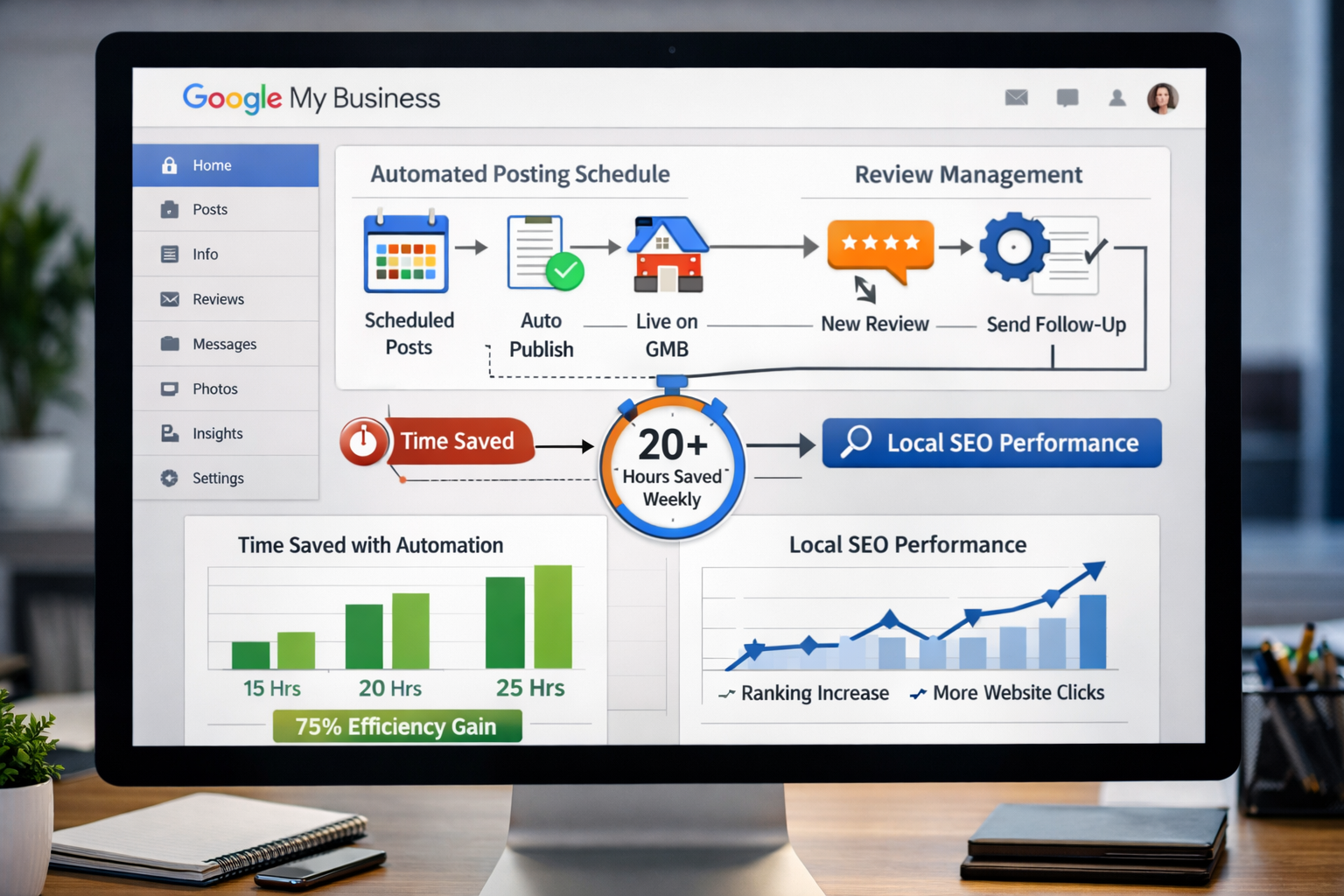
Google My Business automation refers to the use of tools and software solutions to automate repetitive tasks in managing your GMB profile. This technology allows companies to manage their online presence more efficiently, without constant manual intervention.
Core areas of automation
The Google My Business automation includes different areas:
Content management
- Automated posts and updates
- Scheduling seasonal content
- Product updates
Customer communication
- Automatic answers to common questions
- Review management and responses
- Follow-up messages
Analysis and reporting
- Automatic performance reports
- Keyword tracking
- Competitor analysis
Technical optimization
- NAP consistency (name, address, phone)
- Opening hours updates
- Category optimization
Benefits of automation
The implementation of a well thought out Google My Business automation brings measurable benefits:
| Area | improvement | Time saving |
|---|---|---|
| Posts | +65% engagement | 15 hours/month |
| Reviews | +40% response rate | 8 hours/month |
| Analytics | +90% data quality | 12 hours/month |
| Updates | +100% consistency | 6 hours/month |
The best tools for Google My Business automation

Choosing the right tools is crucial to your success Google My Business automation. The market offers various solutions that differ in functionality, price and ease of use.
Professional automation platforms
Enterprise solutions
BirdEye – Comprehensive reputation management platform
 Automated review invitations
- AI-powered answer suggestions
- Multi-location management
 Automated review invitations
Podium – Messaging-centric automation
- Automated customer messages
- Review generation
- Lead tracking
Specialized GMB tools
GMB Everywhere – Focus on local SEO
- Bulk posting for multiple locations
- Automated insights reports
- Competitor monitoring
RatinCaptain – Data-driven optimization
- Automatic ranking tracking
- GMB audit tools
- Competitive analysis
Budget-friendly alternatives
Cost-effective solutions
Hootsuite – Social media management with GMB integration
- Scheduled Posts
- Basic analytics
- Team collaboration
Tool evaluation criteria
When choosing a tool for Google My Business automation you should consider the following factors:
Functionality
- Scope of automation features
- Integration with other marketing tools
- Scalability for your business
Ease of use
- Intuitive operation
- Learning curve for your team
- Availability of training resources
ROI potential
- Time savings vs. costs
- Measurable improvements
- Long-term value creation
Step-by-step implementation of Google My Business automation
The successful implementation of a Google My Business automation requires a systematic approach. A thoughtful implementation can make the difference between superficial automation and a truly transformative solution.
Phase 1: Analysis and preparation
Evaluate current status
Before you start with the Google My Business automation To begin, a thorough analysis of your current situation is essential:
Audit your GMB performance
- Current visibility in local search results
- Number and quality of customer reviews
- Engagement rate on posts and updates
- Frequency of manual administrative tasks
Resource assessment
- Time available for GMB management
- Budget for automation tools
- Technical expertise in the team
- Number of locations to manage
Phase 2: Tool selection and setup
Choose the right platform
Choosing the right tool for your Google My Business automation should be based on specific requirements:
Create an evaluation matrix
| criterion | Weighting | Tool A | Tool B | Tool C |
|---|---|---|---|---|
| Range of functions | 30% | 8/10 | 7/10 | 9/10 |
| Ease of use | 25% | 9/10 | 8/10 | 6/10 |
| Price-performance | 20% | 7/10 | 9/10 | 8/10 |
| Support | 15% | 8/10 | 7/10 | 9/10 |
| integration | 10% | 6/10 | 8/10 | 7/10 |
Implementation checklist
- Configure GMB access for the tool
- Train team members and set up access
- Create a backup of current GMB data
- Conduct a test run with one location
- Set up monitoring and success measurement
Phase 3: Set up automation workflows
Configure content automation
An effective one Google My Business automation Start with systematic planning of your content:
Develop content calendar
- Weekly posts: Product highlights, offers, news
- Seasonal campaigns: Holidays, local events, industry events
- Evergreen content: FAQ answers, company values, team introductions
Automated posting strategies
Monday: Start of the week motivation + offers Tuesday: Product focus + customer stories Wednesday: Behind-the-scenes + team spotlight Thursday: Tips & tricks + expertise Friday: End of the week + community engagement Automate review management
Review management is a critical part of the Google My Business automation:
Automated review invitations
- Timing: 24-48 hours after purchase
- Personalization: customer name and specific service
- Follow-up: Reminder after 7 days in case of no response
Response automation
- Immediate thanks for positive reviews
- Structured responses to negative reviews
- Escalation of critical issues to management
Phase 4: Monitoring and optimization
Set up KPI tracking
Successful ones Google My Business automation requires continuous monitoring:
Important metrics
- visibility: impressions, clicks, calls
- engagement: Post interactions, photo views
- reputation: Review number, average rating
- Conversion: website visits, route requests
Optimization cycles
- Weekly: Analyze content performance
- Monthly: Adjust automation rules
- Quarterly: Evaluate tool efficiency
- Yearly: Strategic realignment
Future trends in Google My Business automation
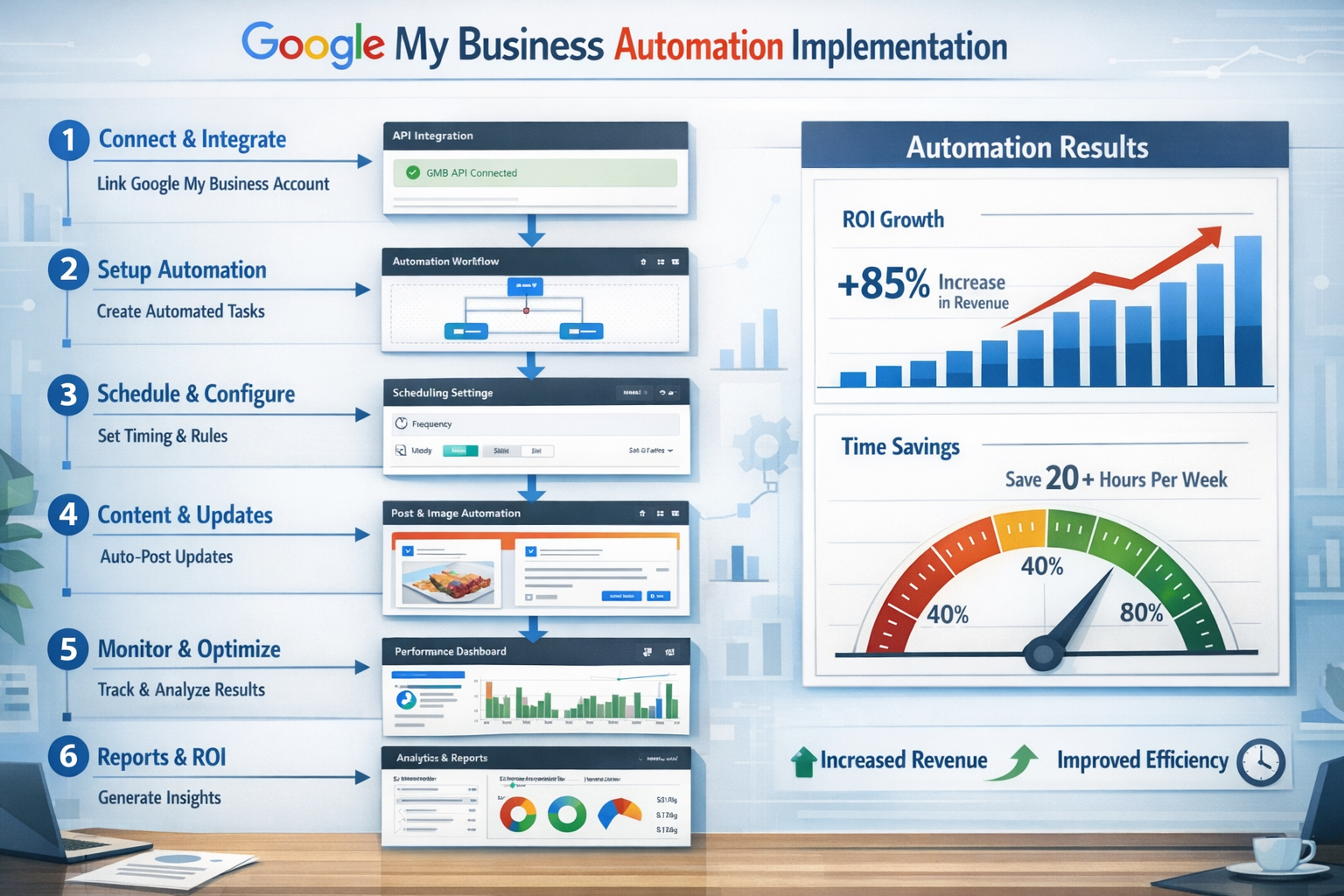
The landscape of the Google My Business automation is developing rapidly. New technologies and changing user habits are significantly shaping the future of local online marketing.
AI-driven automation
Artificial intelligence is revolutionizing GMB
The integration of AI into the Google My Business automation opens up completely new possibilities:
Predictive content creation
- AI analyzes local trends and creates appropriate content
- Automatic adjustment for seasonal fluctuations
- Personalized posts based on audience data
Intelligent review analysis
- Sentiment analysis for deeper customer insights
- Automatic identification of areas for improvement
- Proactive problem solving before negative reviews
Smart scheduling
- Optimal posting times based on audience activity
- Automatic adjustment for local events and holidays
- Dynamic content prioritization
Voice search optimization
Voice search is transforming local SEO
The increasing use of voice assistants influences the Google My Business automation relevant:
Conversational keywords
- Automatic optimization for natural language patterns
- Integration of “Near me” search queries
- Consider local dialect and language variations
Featured snippet optimization
- Structured data for better voice search results
- FAQ automation for common voice queries
- Position Zero Strategies for Local Search Queries
Multi-channel integration
Omnichannel automation
Modernity Google My Business automation integrates seamlessly into the entire marketing ecosystem:
Social media synchronization
- Automatic distribution of GMB posts to other platforms
- Cross-platform review management
- Consistent brand message across all channels
CRM integration
- Automatic data comparison between GMB and customer database
- Personalized communication based on customer history
- Lead tracking from GMB interactions to closing sales
Advanced analytics and reporting
Data-driven decision making
The future of Google My Business automation lies in intelligent data evaluation:
Real-time dashboards
- Live monitoring of GMB performance
- Immediate notifications of anomalies
- Automatically adjust strategies based on performance data
Competitive intelligence
- Automatic competition monitoring
- Benchmark analyzes for local markets
- Real-time market share tracking
Forecast for 2026-2027
What awaits us
The Google My Business automation will experience the following developments in the coming years:
Technological advances
- Fully autonomous GMB management powered by AI
- Augmented reality integration for local searches
- Blockchain-based reputation systems
Regulatory changes
- Stricter data protection regulations
- New compliance requirements for automated systems
- Transparency obligations for AI-driven content
Market development
- Consolidation of the tool landscape
- Specialization in niche industries
- Integration into larger marketing platforms
“The future of local search lies not in automation for the sake of automation, but in the intelligent orchestration of technology and human expertise.” – Local SEO Expert, 2026
Common mistakes and how to avoid them
When implementing a Google My Business automation Various stumbling blocks can jeopardize success. Understanding and avoiding these common mistakes is critical to successful automation.
Avoid over-automation
The loss of the human touch
One of the most critical errors in the Google My Business automation is the complete dehumanization of communication:
Problematic approaches:
- 100% automated responses to all customer inquiries
- Generic content with no local reference
- Ignoring individual customer needs
Better strategies:
- 80/20 rule: 80% automation, 20% human intervention
- Escalation protocols: Automatic forwarding of complex requests
- Personalization layer: Customizations in automated messages
Ensure content quality
Quantity vs. Quality Balance
Many companies fall into the trap of failing Google My Business automation Producing more but worse content:
Common content errors:
- Repetitive posts with no added value
- Lack of adaptation to local events
- Neglecting image quality
Quality assurance measures:
- Content audit cycles: Regular review of automated content
- A/B testing: Continuous optimization of post performance
- Brand Guidelines: Consistent brand representation across all automated content
Technical pitfalls
Common implementation errors
The technical implementation of the Google My Business automation poses specific risks:
Overlooking API limitations
- Google My Business API has strict rate limits
- Exceeding this will result in temporary closures
- Solution: Intelligent request distribution and backup strategies
Data inconsistencies
- Different information between automated and manual updates
- Solution: Establish a single source of truth and regular data comparisons
Lack of backup strategies
- Loss of data when changing tools
- Solution: Regular exports and redundant data storage
Compliance and legal aspects
Ensure legal certainty
The Google My Business automation must meet various legal requirements:
GDPR compliance
- Automated processing of customer data
- Right to deletion and data portability
- Measures: Privacy-by-Design in automation workflows
Competition law
- Automated price adjustments
- Comparative advertising
- Precautions: Regular legal review of automated content
Monitoring and quality control
Continuous monitoring
Successful ones Google My Business automation requires systematic monitoring:
Critical monitoring areas:
| Area | Monitoring frequency | Critical metrics |
|---|---|---|
| Content quality | Daily | Engagement rate, comments |
| Review answers | Hourly | Response time, sentiment |
| Technical function | Continuously | API errors, sync status |
| Compliance | Weekly | Legal compliance |
Escalation protocols
- Immediately: Negative reviews, technical failures
- 24h: Unusual activity patterns
- Weekly: Performance deviations
- Monthly: Strategic adjustments
Conclusion
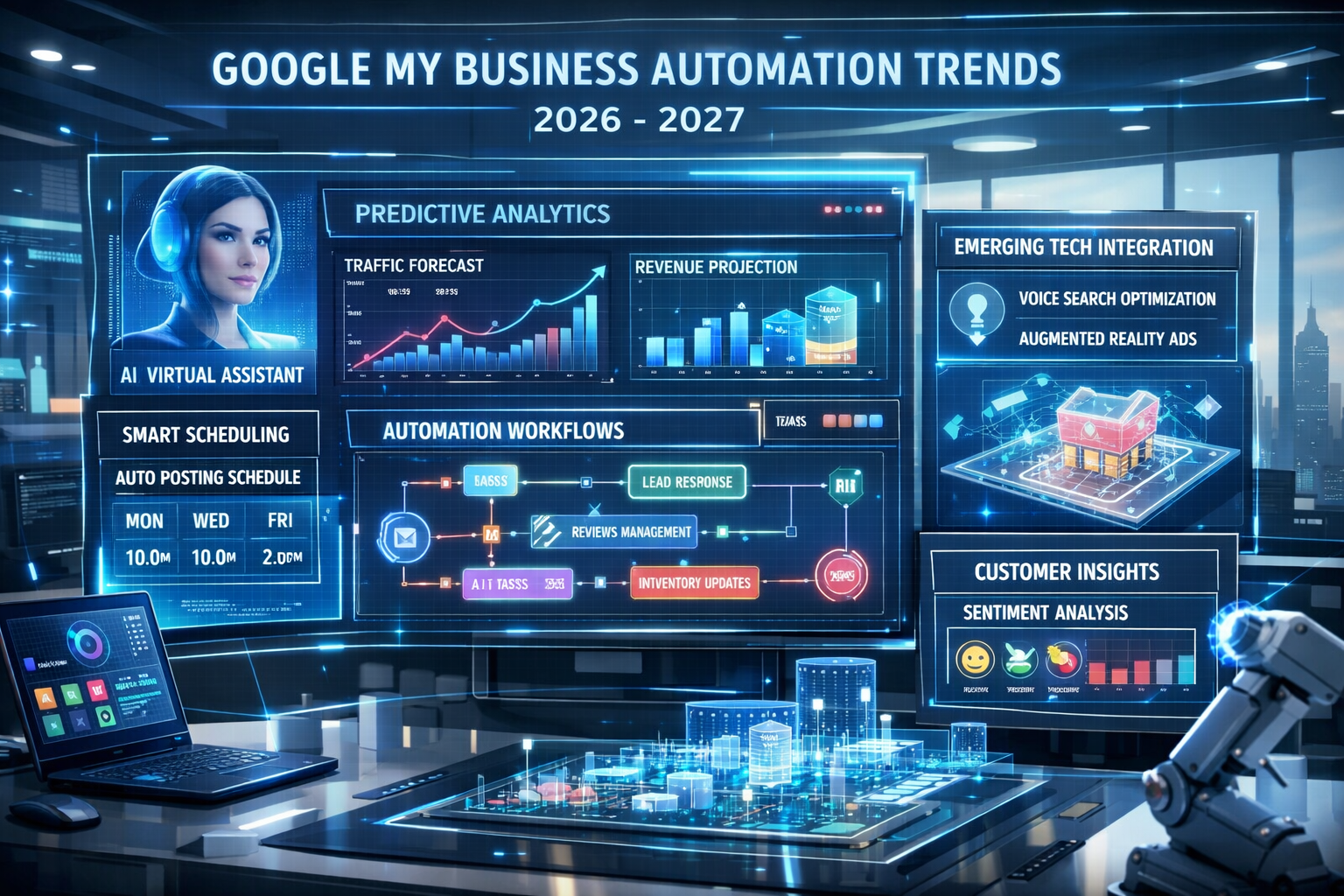
The Google My Business automation has established itself as an essential tool for modern businesses that want to manage their local online presence efficiently and effectively. The right implementation can not only bring significant time savings of up to 80% of manual administrative work, but also sustainably increase visibility, customer loyalty and ultimately business success.
The most important findings
Strategic approach is crucial
Successful ones Google My Business automation begins with a thorough analysis of the current situation and clear objectives. Companies that work systematically and find the right balance between automation and human support achieve the best results.
Tool selection determines success
The variety of automation tools available requires careful evaluation based on specific business needs. From budget-friendly solutions like Buffer to enterprise platforms like BirdEye, the right choice depends on factors such as company size, budget and desired functionality.
Continuous optimization pays off
Google My Business automation is not a one-time setup, but a continuous process. Regular monitoring, A/B testing and adjustment of automation rules are essential for long-term success.
Recommendations for action for 2026
Can be implemented immediately:
- Conduct an audit: Evaluate your current GMB performance and identify automation potential
- Evaluate tool: Use our interactive comparison to find the right tool for your needs
- Start pilot project: Start with a location or a specific function
Medium term (3-6 months):
- Full implementation: Roll out automation to all locations
- Team training: Make sure everyone involved understands the new processes
- Establish KPI tracking: Implement systematic monitoring and reporting
Long term (6-12 months):
- Check AI integration: Evaluate advanced AI features for your automation
- Omnichannel strategy: Integrate GMB automation into your entire marketing ecosystem
- Competitive advantage: Leverage advanced features for competitive advantage
Future outlook
The Google My Business automation will become even smarter and more integrated in the coming years. Companies that lay the groundwork today will benefit from future developments such as AI-driven content, voice search optimization, and expanded analytics capabilities.
The key to success lies not in maximum automation, but in the intelligent combination of technology and human expertise. Companies that master this balance will sustainably strengthen their local market position and secure decisive competitive advantages.
Get started today by optimizing your Google My Business presence through sophisticated automation - your customers and your business success will thank you.
KI-Offenlegung: HINWEIS: Bilder wurden mit KI erstellt oder bearbeitet und sind keine realen Abbildungen. Teile der Texte wurden mit Hilfe von KI erstellt und redaktionell von einem Mensch bearbeitet.