
Create a company website: The complete guide for 2026

Last updated: January 15, 2026
Today, a professional company website is no longer an option, but an absolute requirement. Who his Have a company website created would like to face many questions: How much does it cost? How long does it take? And what do you have to pay attention to so that the website really works?
The good news: A professional business website doesn't have to cost a fortune or take months to create. But there are key differences between a 0 solution and a ,000 custom website. This guide will show you exactly what you need to know to make the right decision.
Key takeaways
- Costs vary greatly: From free modular systems to 15,000+ euros for agency solutions - the price range depends on the scope of functions and quality
- Pay attention to the time frame: A professional company website takes between 4-12 weeks from conception to launch
- Legal requirements 2026: GDPR conformity, accessibility according to BFSG and cookie consent are mandatory
- Mobile-first is standard: Over 70% of users access websites on mobile – responsive design is essential
- Plan ongoing support: A website needs regular updates, security patches and content maintenance
What does “having a company website created” mean exactly?
One Have a company website created means that you hand over the development of your company website to professionals - be it an agency, a freelancer or a specialized service provider. Experts take on the complete technical implementation, design and often also the strategic conception of your online presence.
The big advantage: you save time, avoid technical errors and get a professional result that really suits your business. Instead of tormenting yourself for weeks with WordPress tutorials or despairing about modular systems, you concentrate on your core business.
Who is it worth it for?
Perfect for:
- Small and medium-sized companies without their own IT department
- Self-employed people and freelancers who want to appear professional
- Craft businesses, medical practices, law firms
- Startups that need to get online quickly
- Companies looking to modernize their outdated website
Less useful for:
- Hobby projects on a minimal budget
- Temporary websites for one-off events
- Company with its own web development department
The decision depends on three factors: budget, time and technical know-how. If at least one of these factors is in short supply, professional help is almost always worthwhile.
How much does it cost to have a company website created?
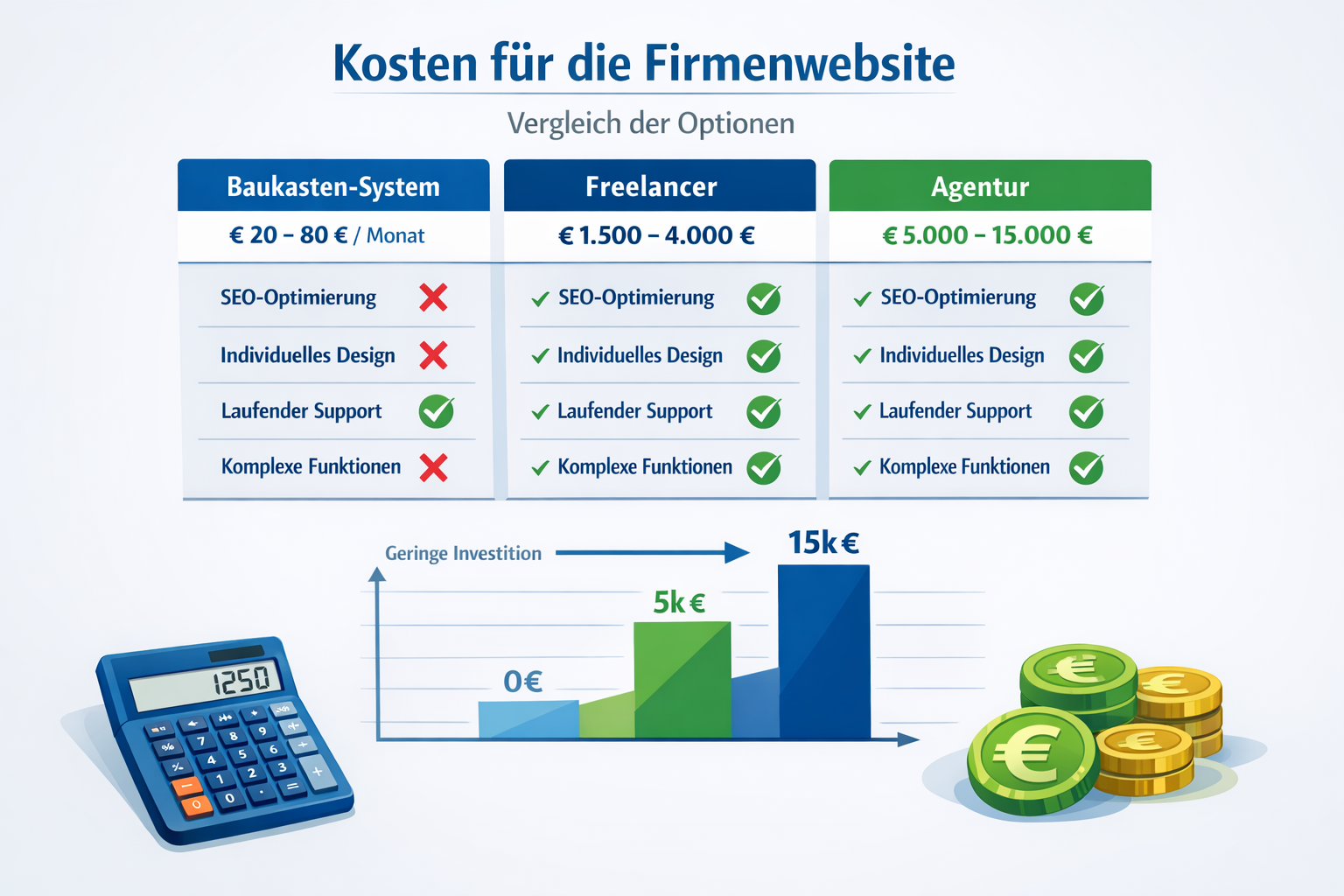
The costs for a professional company website range between 0 euros (modular systems) and 15,000+ euros (premium agency solutions). The average for small to medium-sized businesses is between 2,000 and 6,000 euros for a solid, professional website.
Here is the realistic cost overview for 2026:
| Solution | Price range | What you get | Suitable for whom |
|---|---|---|---|
| Modular system | 0-30 €/month | Template design, limited customizations, basic SEO | Small business owner, first online presence |
| Freelance Basic | 800-2,500 € | Individual design, WordPress base, standard features | Sole traders, local service providers |
| Freelance Premium | 2,500-6,000 € | Custom design, SEO optimization, advanced features | SMEs, growing companies |
| Agency Standard | 5,000-10,000 € | Strategy consulting, professional design, comprehensive features | Established companies, B2B |
| Agency Premium | 10,000-25,000+ € | Complete solution, custom development, marketing integration | Larger companies, e-commerce |
What influences the price?
Main cost factors:
- Number of pages: 5 pages vs. 50 pages makes a huge difference
- Design effort: Template customization vs. completely custom design
- Features: Contact form vs. booking system, member area, shop integration
- Content creation: Delivering texts yourself vs. professional copywriting
- SEO optimization: Basic setup vs. comprehensive search engine optimization
- Ongoing support: One-time project vs. monthly maintenance
Common Error: Just look at the initial price. A ,000 website that doesn't get found and doesn't convert is more expensive than a ,000 solution that brings in customers.
Who one Have a professional homepage created You should expect a realistic budget of at least 2,000-3,000 euros to get a truly professional result.
What options are there for creating a company website?
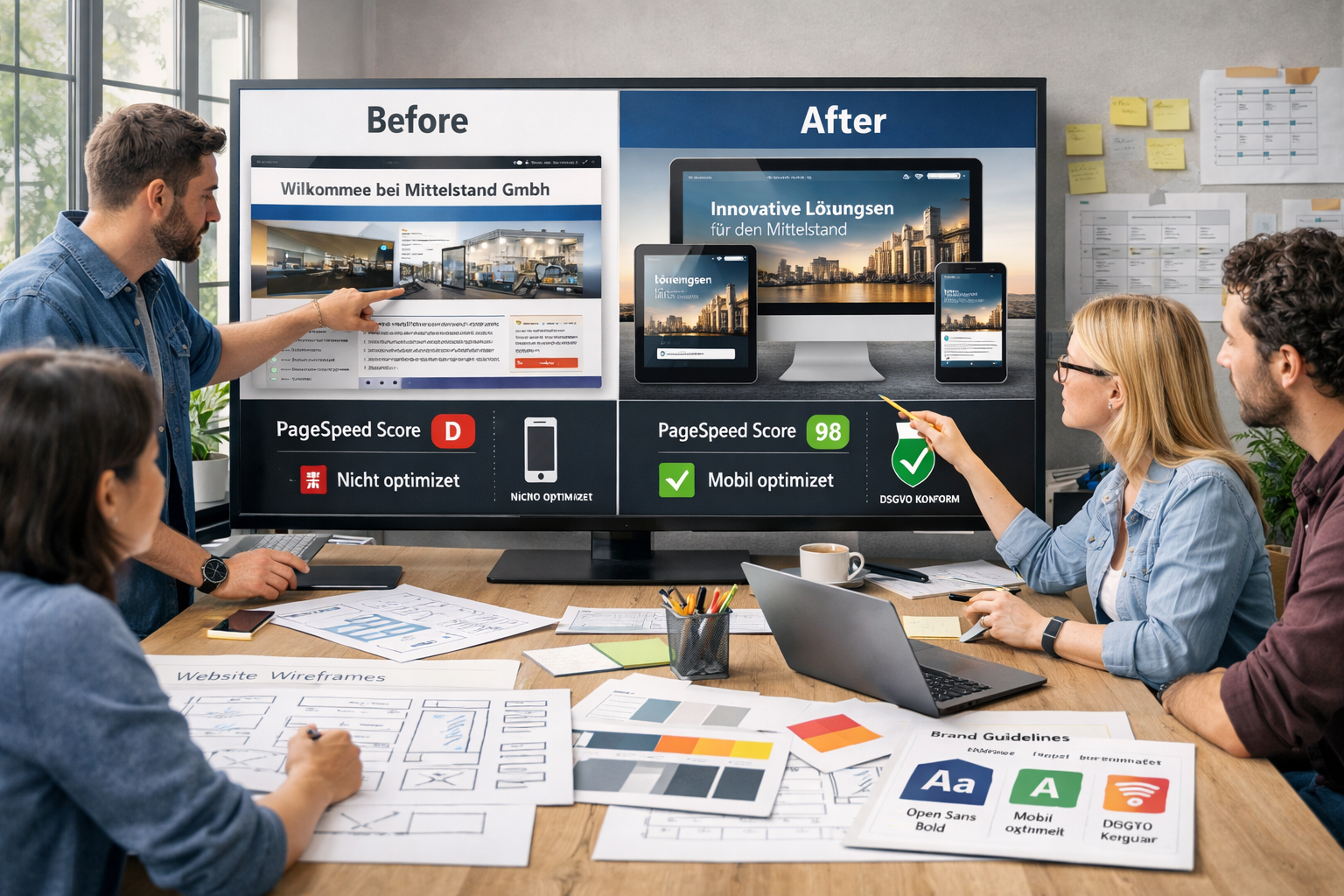
You basically have four ways to have your company website created: modular systems, freelancers, agencies or hybrid solutions. Each option has specific advantages and disadvantages that suit different business sizes and needs.
Option 1: Modular systems (with support)
Providers like: Wix, Jimdo, Squarespace, IONOS
Advantages:
- Cheap (10-30 €/month)
- Quick start possible
- No technical knowledge required
- Hosting included
Disadvantages:
- Limited customization
- Template look often recognizable
- SEO restrictions
- Little control over code and performance
Choose this option if: You have a very small budget, need to get online quickly and don't have complex requirements.
Option 2: Freelance
Typical way of working: An independent web designer or developer will take over your project
Advantages:
- Personal, direct contact
- More flexible pricing
- Often faster communication
- Good value for money
Disadvantages:
- Dependence on a person
- Limited capacities
- Maybe less specialization
- Risk in the event of illness/failure
Choose this option if: You have a medium budget (€2,000-6,000), value direct contact and don't need a highly complex website.
Option 3: Web Agency
Typical way of working: Team of designers, developers, SEO experts and project managers
Advantages:
- Comprehensive expertise in all areas
- Professional project management
- Long-term care possible
- Backup by multiple employees
Disadvantages:
- Higher costs
- Sometimes longer voting paths
- Possibly less flexibility
- Minimum budgets often €5,000+
Choose this option if: You have a larger budget, need a complex website or are looking for long-term support.
Option 4: Hybrid solutions
Example: Have a WordPress website created with a professional basis and our own content management
Advantages:
- Combination of professionalism and control
- Good value for money
- Maintain content yourself, technology from a professional
- Scalable
Disadvantages:
- Requires some training
- Regular updates required
- Basic technical understanding helpful
Choose this option if: You want to maintain content yourself in the long term, but want the technical basis to be set up professionally.
For specialized industries such as Handyman or Doctors There are also specialized providers who provide industry-specific templates and functions.
What is the process of having a company website created?
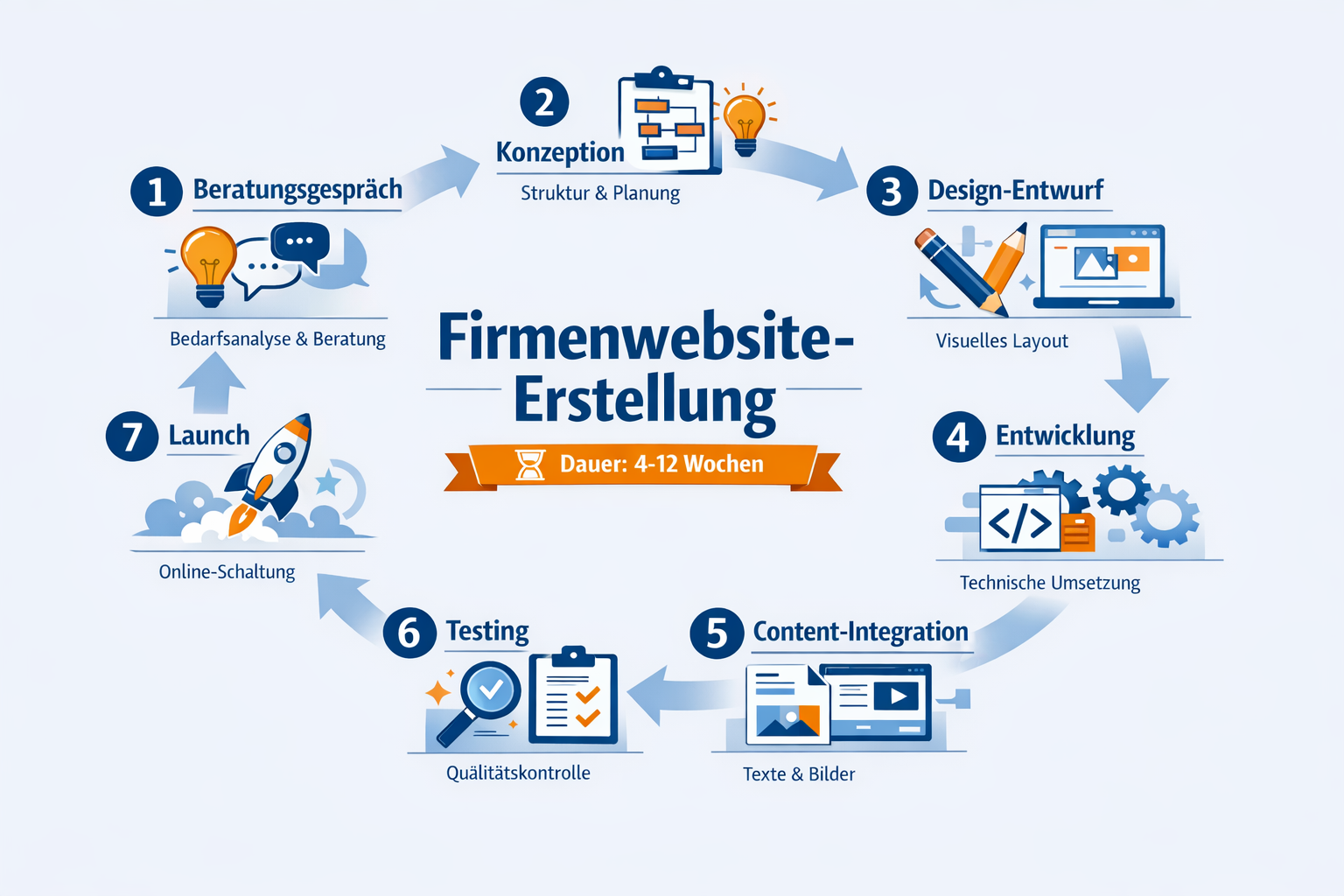
The typical process takes 4-12 weeks and is divided into seven clearly defined phases. The exact duration depends on the complexity of your website and the speed of your feedback.
Phase 1: Initial conversation and briefing (week 1)
The basics are clarified in the kick-off meeting: goals, target group, budget, time frame. A good service provider asks a lot of questions about your business, your competitors and your expectations.
What you should prepare:
- Examples of websites you like
- Your unique selling points
- Existing material (logo, images, texts)
- Specific goals (generate leads, sell products, provide information)
Phase 2: Conception and strategy (week 1-2)
The service provider develops a concept: page structure, functions, technical structure. You will receive a detailed offer with the scope of services, schedule and costs.
Important documents:
- Sitemap (page structure)
- Function list
- Technical concept
- Schedule with milestones
Phase 3: Design Draft (Weeks 2-4)
Now it's visual. The designer creates mockups or prototypes, usually for the homepage and 1-2 subpages. You give feedback, adjustments are made.
Feedback rounds: Plan 2-3 correction loops. Nothing more should be necessary if the briefing was good.
Phase 4: Development (Weeks 4-8)
The approved designs are technically implemented. The CMS is set up, functions are programmed, and the website is made responsive.
What runs parallel:
- Content creation (text, images)
- SEO basics are implemented
- Technical optimization
Phase 5: Content Integration (Weeks 7-9)
Texts, images and videos are entered. If you deliver the content yourself, things will go faster. Professional copywriting costs extra, but is often worth it.
Tip: Deliver content on time. Delays usually arise here.
Phase 6: Testing and Optimization (Weeks 9-11)
Comprehensive testing on various devices and browsers. Is everything working? Are all links correct? Does the site load quickly enough?
What is tested:
- Mobile display (smartphone, tablet)
- Browser compatibility (Chrome, Firefox, Safari, Edge)
- Forms and functions
- Loading speed
- GDPR compliance
Phase 7: Launch and handover (week 12)
The website goes live. You will receive an introduction to the CMS and all access data. There is often a guarantee period for bug fixes.
After launch:
- Monitoring the first few days
- Small adjustments if necessary
- Training for your team
- Handover of all documentation
Common Error: Believing that the website is “finished” after launch. A website needs ongoing maintenance, updates and optimization. Many providers offer Create and maintain website as a complete package.
What do you have to pay attention to when having a company website created?
Choosing the right service provider is the difference between success and frustration. Pay attention to these critical factors before signing a contract.
Technical must-haves for 2026
Absolutely indispensable:
- Mobile-first design: Responsive on all devices, not just “mobile-friendly”
- GDPR compliance: Cookie banner, privacy policy, secure data processing
- SSL encryption: HTTPS is standard and ranking factor
- Accessibility: Mandatory for many companies according to BFSG since 2025 [10]
- Fast loading times: Under 3 seconds, better under 2 seconds
- SEO basics: Clean code structure, meta tags, schema markup
Who one Accessible website needs, this should be communicated from the start - subsequent adjustments are more expensive.
Contract details that matter
Clarify beforehand:
- Property rights: Do you own the website completely? Also the design?
- Source code access: Do you get full access to all files?
- Maintenance and support: What is included after launch?
- Change requests: How many correction loops are included in the price?
- Hosting: Where is it hosted? Who cares about it?
- Payment methods: deposit, milestones, final payment?
Warning signs:
- No written agreements
- Vague service descriptions
- No clear schedule
- No references or portfolio
- Unrealistically low prices
Quality criteria for providers
This is how you recognize professionals:
- Show concrete reference projects from your industry
- Ask lots of questions about your business
- Explain technical connections in an understandable way
- Have a structured process
- Offer long-term care
- Are transparent about costs and time spent
Questions you should ask:
- Which CMS do you recommend and why?
- How do you handle SEO?
- What happens if you get sick or are unable to work?
- How is communication going during the project?
- Is there a guarantee after launch?
- Who takes care of updates and security?
A professional provider will also have one CHECK website offer to analyze the current status if you already have a website.
Don’t forget your content strategy
The best website is of no use without good content:
- Clear messages that appeal to your target group
- Professional texts with call-to-actions
- High-quality, authentic images (no stock photo clichés)
- Structured information that is easy to find
Many companies underestimate the content effort. Plan time and budget for this or hire professional copywriting.
What types of websites are there for companies?
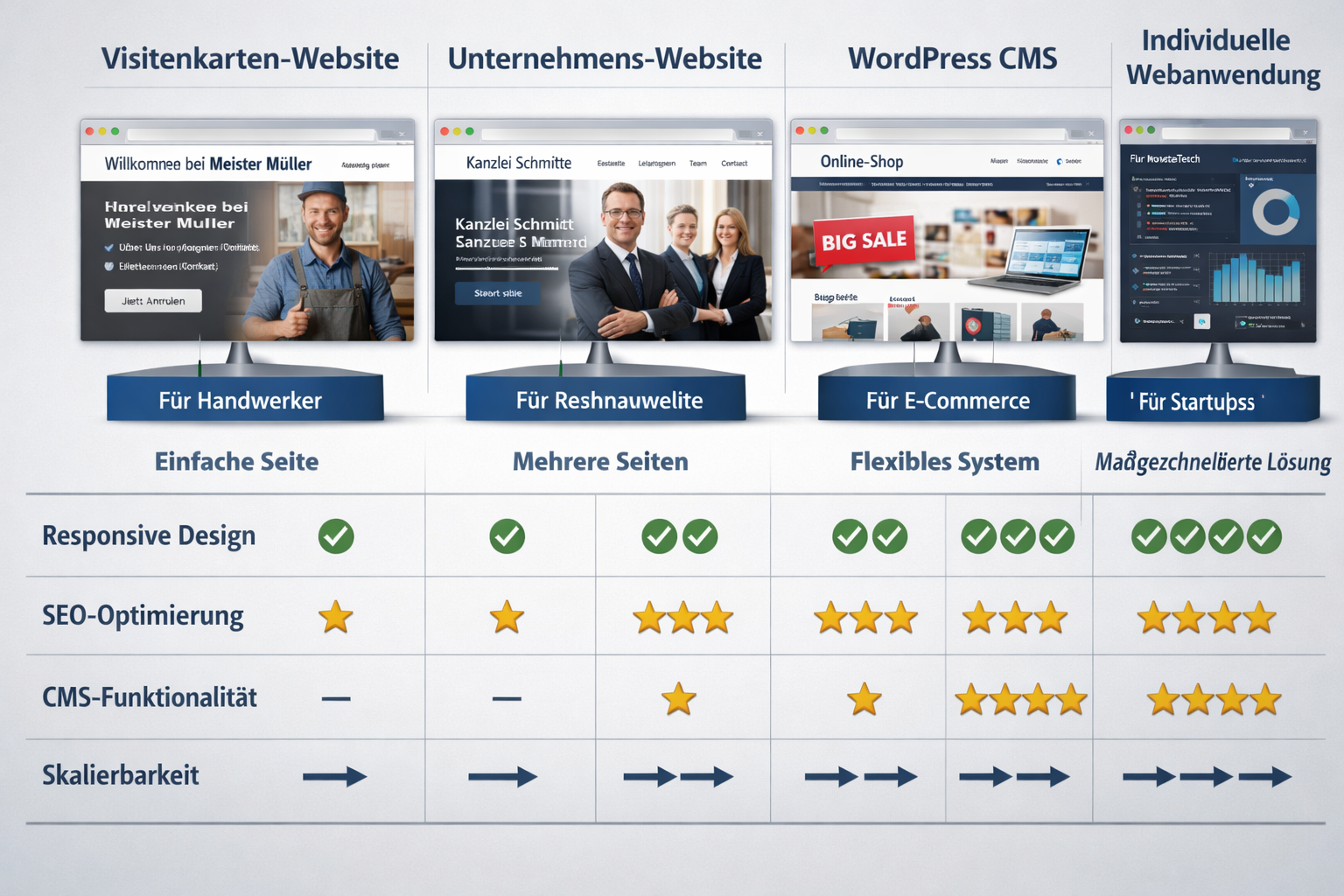
Not every company needs the same type of website. Choosing the right website type depends on your business goals, industry, and budget.
1. Business card website (one-pager)
What is that: A single page with all the important information, showing different areas as you scroll.
Perfect for:
- Freelancers and sole proprietors
- Local service providers (hairdresser, craftsman)
- Early stage startups
- Supplement to social media
Typical costs: 800-2,500 €
Advantages: Quickly created, clear, inexpensive, easy to maintain
Disadvantages: Limited SEO options, little room for details, not scalable
2. Classic corporate website
What is that: Several pages (5-20) with classic navigation: Home page, About us, Services, References, Contact.
Perfect for:
- SMEs of all sectors
- B2B service provider
- Consulting company
- Local shops
Typical costs: 2,500-6,000 €
Advantages: Professional appearance, good SEO opportunities, expandable
Disadvantages: Higher maintenance effort, more content required
3. WordPress website with CMS
What is that: Professional WordPress-based website that you can maintain yourself.
Perfect for:
- Companies that regularly publish content
- Companies with a blog or news section
- Teams that want to make changes themselves
Typical costs: €3,000-8,000
Advantages: Flexible, expandable, self-maintainable, large community
Disadvantages: Regular updates needed, security needs to be maintained
Who specifically one Have a WordPress website created wants to benefit from the flexibility and the huge ecosystem of plugins and themes.
4. E-commerce / online shop
What is that: Full-fledged shop solution with product catalog, shopping cart, payment processing.
Perfect for:
- Merchants who want to sell online
- Manufacturer with direct sales
- Service providers with bookable services
Typical costs: 5,000-25,000+ €
Advantages: Direct sales, available 24/7, scalable
Disadvantages: Complex, maintenance-intensive, legally demanding
For shop projects, specialized help is recommended – one Have an online shop created should not be underestimated.
5. Custom web application
What is that: Tailor-made solution with special functions such as booking systems, customer portals, configurators.
Perfect for:
- Companies with very specific requirements
- SaaS provider
- Platform business models
Typical costs: 15,000-100,000+ €
Advantages: Tailored exactly to your needs, competitive advantage
Disadvantages: Expensive, long development time, high maintenance costs
Decision support: Start with the simplest type that meets your current needs. You can always expand later.
What are the most important website trends for companies in 2026?
The web design landscape is constantly evolving. These trends will shape professional company websites in 2026 and should be taken into account when planning.
1. AI-powered personalization
Websites automatically adapt to user behavior. Content, product recommendations and navigation are individualized without users having to log in [3].
Practical application:
- Chatbots with natural language processing
- Dynamic content adjustment based on visitor behavior
- Automated A/B testing for better conversion
2. Minimalism with a focus on user experience
Less is more: Clear structures, lots of white space, reduced color palettes. The focus is on quick information transfer and intuitive navigation [1][2].
Important:
- Large, readable fonts
- Clear call-to-actions
- Fast loading times thanks to lean code
- Focus on the essentials
3. Accessibility as standard
Since the Accessibility Strengthening Act (BFSG), many companies have had to make their websites barrier-free [10]. In 2026 this will no longer be optional, but mandatory.
Specifically, this means:
- WCAG 2.1 Level AA compliance
- Keyboard navigation possible
- Screen reader compatibility
- Sufficient contrasts
- Alternative texts for images
Anyone planning now should have one Accessible website plan from the start.
4. Sustainable web design
Environmental awareness is also reaching the web. Sustainable websites use less energy through optimized code, compressed images and green hosting [7].
Implementation:
- Efficient image formats (WebP, AVIF)
- Lazy loading for media
- Minimized JavaScript use
- Hosting from providers with green electricity
5. Voice Search Optimization
More and more people are using voice search. Websites must be optimized for this by answering natural questions and using structured data [4].
SEO adjustments:
- FAQ sections with natural questions
- Schema markup for better understanding
- Conversational content instead of keyword stuffing
6. Micro-interactions and animations
Subtle animations improve the user experience without being distracting. Buttons react to hover, forms provide visual feedback, scroll animations lead through the page [5][6].
Best practices:
- Use sparingly
- Do not affect performance
- Can be deactivated for users with motion sensitivity
7. Dark mode option
More and more users prefer dark surfaces. Modern websites offer a switch between light and dark design [9].
Common Error: Treat dark mode as an afterthought. It's better to plan from the start.
The Website speed optimization remains a critical factor in 2026 – slow websites lose visitors and rankings.
How do you find the right provider to create your company website?
Finding the right service provider is crucial for the success of the project. With this systematic approach you will find the right partner for your company website.
Step 1: Define requirements
Before you even search, clarify:
- What type of website do you need?
- What is your realistic budget?
- What time frame is realistic?
- Which functions are absolutely necessary?
- Do you want to maintain the website yourself later?
- Do you need long-term care?
Write down these requirements. This will be your briefing document.
Step 2: Research and pre-selection
Where you can search:
- Google search for “web design agency [your city]”
- Recommendations from your network
- Business directories and rating portals
- LinkedIn and Xing
- Specialized platforms like iBusiness
Create a shortlist of 3-5 candidates
Step 3: Check portfolio and references
Pay attention to:
- Do they have experience in your industry?
- Do you like the style of your previous work?
- Are the websites technically well implemented? (Test on your smartphone!)
- Are there customer reviews or testimonials?
- How current are the references?
Practical tip: Call 1-2 reference customers and ask about their experiences. Most are happy to provide information.
Step 4: Conduct initial discussions
Good signs in conversation:
- The provider asks many questions about your business
- Technical things are explained in an understandable way
- Realistic time frames are mentioned
- You will be presented with various options
- There is a structured process
Red flags:
- Promises like “Top 1 on Google guaranteed”
- Pressure to sign immediately
- No clear answers to your questions
- Unrealistically low prices
- No references or portfolio
Step 5: Compare offers
Don't just compare the price, but:
- Scope of services (what exactly is included?)
- Number of correction loops
- Maintenance and support after launch
- Ownership and Access
- Payment conditions
- Guarantees and Warranty
Create a comparison table with all important points.
Step 6: Include gut feeling
In addition to all rational criteria: Is the chemistry right? Do you feel like you're in good hands? Does the provider communicate at eye level?
You will work closely together for several weeks - the personal level is important.
Local provider vs. remote
Advantages locally:
- Personal meetings possible
- Same time zone and language
- Possibly better understanding of local market
Remote advantages:
- Greater selection
- Often cheaper prices
- Specialization is more important than location
Conclusion: In 2026, the location will play a subordinate role. Expertise, communication and price-performance are more important.
For special requirements such as GDPR compliance You should specifically look for providers with appropriate expertise.
Frequently Asked Questions (FAQ)
How long does it take to get a company website created?
A professional company website takes between 4-12 weeks from the first meeting to the launch. Simple websites (5-10 pages) are often completed in 4-6 weeks, while more complex projects with custom features can take 8-12 weeks or longer. The biggest delays are usually caused by late customer feedback or missing content.
How much does a professional company website cost in 2026?
The costs are between 2,000 and 10,000 euros for most small to medium-sized companies. Simple websites start at around 800-2,500 euros (freelance, template-based), while comprehensive agency solutions cost 5,000-15,000+ euros. Modular systems are available from 10-30 euros per month, but offer significantly less individualization and control.
Can I maintain my website myself later?
Yes, if the website was built with a content management system (CMS) like WordPress. You will receive instructions after the launch and can then change texts, exchange images and create new pages yourself. However, you should still have professional support for technical updates and security.
Do I need an accessible website?
Since the Accessibility Strengthening Act (BFSG), many companies have to offer barrier-free websites according to WCAG 2.1 Level AA from June 2025. Companies with more than 10 employees or a turnover of over 2 million euros are particularly affected. Even if you're not legally required to, accessibility improves the user experience for everyone.
What is the difference between freelancer and agency?
A freelancer is an individual who usually works cheaper and offers direct, personal contact. An agency is a team with various specialists (designers, developers, SEO experts) that offers more comprehensive services but is also more expensive. Freelancers are suitable for smaller projects (2,000-6,000 €), agencies for more complex requirements (5,000+ €).
Will I own the website once it's complete?
That depends on the contract. With most professional providers, you own the entire website including all rights and access. However, with some modular systems or cheap offers, you remain dependent on the provider. Be sure to clarify ownership rights, source code access and hosting control before signing a contract.
How important is SEO for a new website?
Extremely important. A website without SEO basics will hardly be found on Google. Basic SEO (clean code, meta tags, mobile optimization, fast loading times) should be there from the start. Advanced SEO measures (content strategy, link building) can be added later. Plan to spend at least an additional 500-1,500 euros for solid SEO basics.
What happens if I am dissatisfied with the result?
Reputable providers work with feedback loops and regularly show you interim results. The contract should specify how many correction loops are included (usually 2-3). If you are fundamentally dissatisfied, depending on the contract, you may have the right to withdraw. Important: Give concrete, constructive feedback instead of vague statements like “I don’t like it”.
Do I need a blog on my company website?
A blog makes sense if you can publish relevant content regularly (at least 1-2 times per month). It helps with SEO, positions you as an expert and delivers added value for customers. But if you don't have time for content creation, an orphaned blog is worse than no blog at all. It's better to start without it and add it later.
How often does a website need to be updated?
Technical updates (CMS, plugins, security patches) should be made at least monthly. Content updates depend on your industry – some companies change something weekly, others only quarterly. A complete redesign makes sense about every 3-5 years to keep up with current standards and trends.
What is more important: design or functionality?
Both are important, but functionality comes first. A beautiful website that loads slowly or doesn't work on your smartphone is of no use. Good design supports functionality by guiding users intuitively. The best solution: Professional design built on a solid technical basis.
Can I keep my old website and just have it revised?
A new build is often cheaper and better than a comprehensive overhaul of outdated systems. However, if your current website is technically sound (modern CMS, clean code), a relaunch with a new design and optimized content can make sense. A professional CHECK website shows whether revision or rebuilding is better.
Conclusion: This is how you proceed to have your company website created
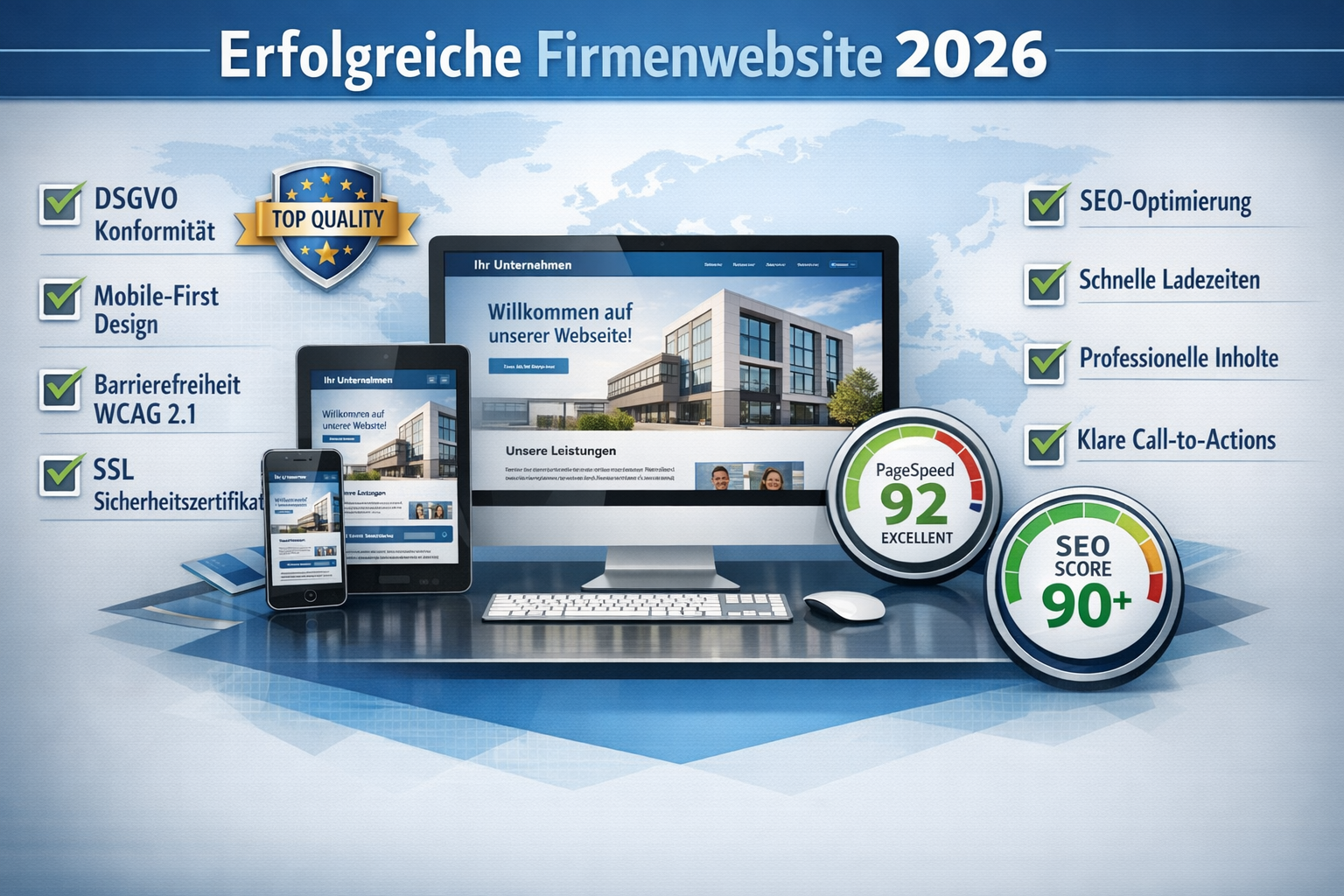
A professional company website is essential for every company in 2026. The good news: With the right approach and a suitable partner, the project is much easier than many people think.
The most important findings summarized again:
✅ Plan your budget realistically: For a solid, professional website you should budget at least 2,000-3,000 euros. There are cheaper solutions, but often with compromises in terms of quality and individualization.
✅ Schedule time: 4-12 weeks are realistic, depending on complexity and your feedback speed. Plan buffers.
✅ Observe legal requirements: GDPR, accessibility and cookie consent are mandatory, not optional. Clarify this from the start.
✅ Mobile-first is standard: Over 70% of users come from mobile – your website needs to work perfectly on all devices.
✅ Think long term: A website is not a one-time project, but needs ongoing maintenance, updates and optimization.
Your next steps
1. Define requirements (this week)
- What type of website do you need?
- What is your budget?
- Which functions are essential?
- Write a short briefing document
2. Research providers (next week)
- Create a shortlist of 3-5 candidates
- Check portfolios and references
- Read reviews and testimonials
3. Conduct initial discussions (week 3)
- Arrange a non-binding consultation
- Ask the important questions from this guide
- Pay attention to communication and expertise
4. Compare offers (week 4)
- Get detailed offers
- Compare scope of services, not just prices
- Check contracts for critical points
5. Make a decision and start
- Choose the provider that suits you best
- Sign the contract
- Start with the kick-off meeting
Final tips for success
Communication is everything: Give prompt feedback, be available to answer questions and communicate requests for changes clearly and specifically.
Trust experts, but stay involved: You know your business best, the service provider knows web technology and design. The best website is created through good collaboration.
Think about the time after launch: Plan a budget for maintenance, updates and possibly marketing. The best website is useless if no one can find it.
Start now: The longer you wait, the more business will go to competitors with better online presence. Investing in a professional company website pays off – often faster than expected.
Whether you choose a freelancer, an agency or a hybrid solution: with the information from this guide you will be well prepared to make the right choice and successfully implement your website project.
Good luck with your new company website! 🚀
References
[1] Website Trends – https://stefaniemotiwal.de/website-trends/
[2] Web design trends – https://webdesign.markop.de/blog/webdesign-trends
[3] Web design trends 2026 – https://www.blueworld.studio/insights/webdesign-trends-2026
[4] Web design trends 2026 – https://saschafix.de/wissen/blog-articles/webdesign-trends-2026/
[5] Web design trends 2026 – https://www.exportarts.io/blog/webdesign-trends-2026/
[6] Web Design Trends – https://de.squarespace.com/blog/web-design-trends
[7] Web design 2026 What we learned in 2025 and which trends determine modern websites – https://www.organica.agency/de/magazin/webdesign-2026-was-wir-2025-gelernt-haben-und-welche-trends-moderne-webseiten-determinen/
[9] Web Design Trends – https://www.vistaprint.de/hub/web-design-trends
[10] Web design trends 2026 These factors you need to know – https://www.econsor.de/news/ui-ux/webdesign-trends-2026-diese-artikel-muessen-sie-kennen/
KI-Offenlegung: HINWEIS: Bilder wurden mit KI erstellt or bearbeitet und sind keine realen Abbildungen. Teile der Texte wurden mit Hilfe von KI erstellt und redaktionell von einem Mensch bearbeitet.