
Social Media Save Time: The Ultimate Guide to Efficient Social Media Management 2026
Imagine if you could do your social media activities in half the time and get better results. Sounds too good to be true? The reality is: Save social media time is not only possible, but essential for digital marketing success in 2026. While companies spend an average of 3-5 hours a day on social media, the most efficient teams manage to reduce this time by up to 70% - without any loss of quality.
Key takeaways
• automation can take on up to 60% of recurring social media tasks
• Content batching reduces the time spent creating content by an average of 40%
• Strategic planning and templates save 10-15 hours of working time per week
• Delegation and teamwork optimize workflows and significantly increase productivity
• Analytics automation Reduces reporting time from hours to minutes
Why social media saving time is crucial for success
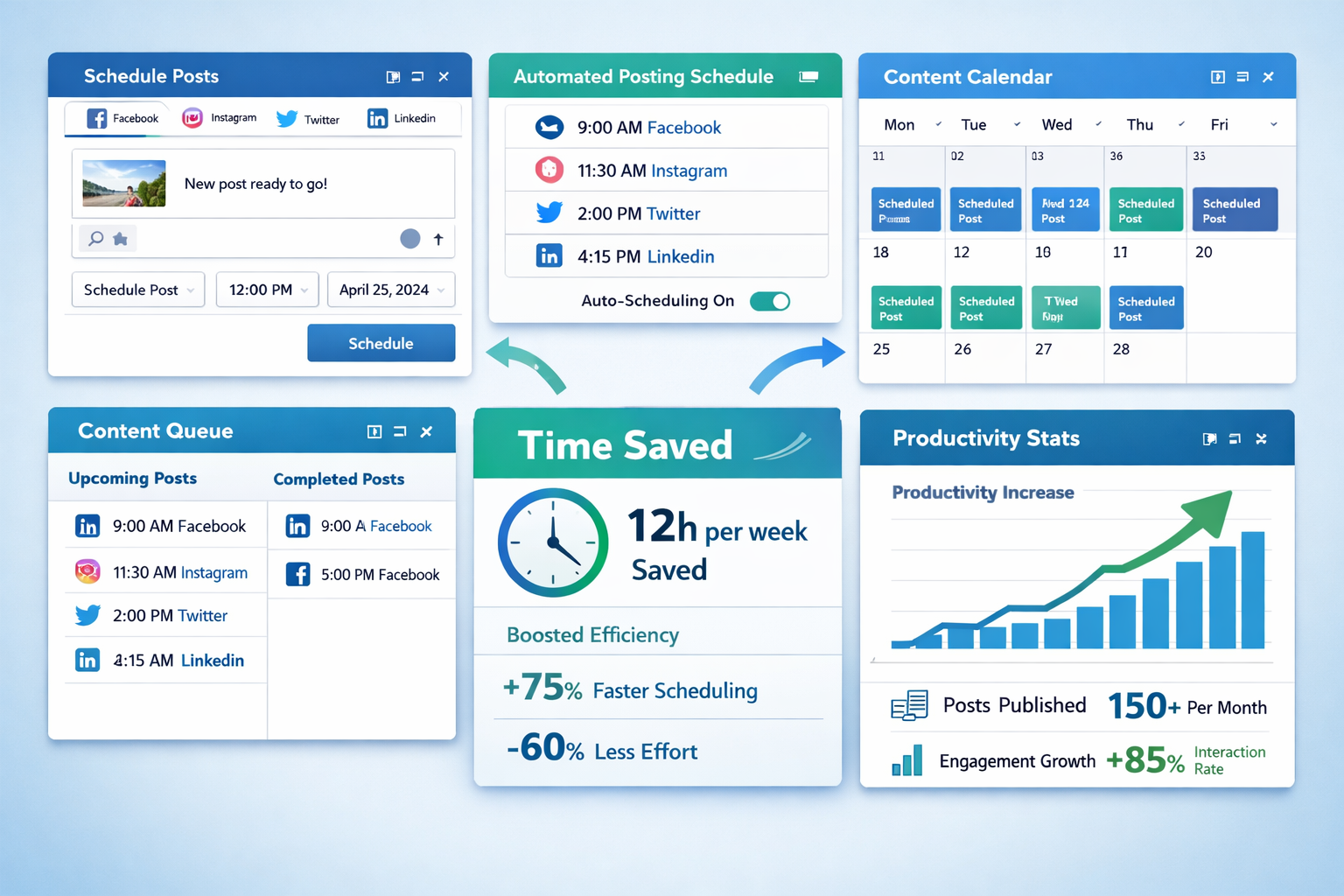
The digital landscape is evolving rapidly. Save social media time doesn't mean doing less - it means working smarter. Companies that optimize their social media efficiency can:
- Serve more platforms without additional resources
- Higher engagement rates achieve through consistent presence
- Better ROI achieve through focused strategies
- Creative capacities release for strategic initiatives
The costs of inefficient social media work
“Time is money – and nowhere is this more clear than in social media marketing, where every minute counts.”
A study from 2026 shows: Companies waste on average 2.3 hours daily through inefficient social media processes. This corresponds to an average hourly wage of €35 €28,000 annual losses per employee.
Common time wasters:
- Manually posting on different platforms
- Repetitive content creation without a system
- Unstructured analysis and reporting
- Lack of workflows and approval processes
Automation: The Key to Saving Social Media Time
The automation revolutionizes social media management. Modern tools can take over up to 80% of routine tasks while you focus on strategy and creativity.
Top automation tools for 2026
| Tool | Main function | Time saving | Price from |
|---|---|---|---|
| Social@ALL AUTOMATION | Complete multi-platform management, AI powered | 20h/week | 69€/month |
| Buffer | Content planning | 12h/week | 15€/month |
| Sprout Social | Content management | 15h/week | 89€/month |
Automatable areas
Content scheduling
- Automatic posting at optimal times
- Cross-platform synchronization
- Recurring posts for evergreen content
Community management
- Automatic answers to common questions
- Mention tracking and notifications
- Lead qualification through chatbots
Analytics & Reporting
- Automated performance reports
- Real-time KPI tracking
- Competitive Analysis
Implementation of an automation strategy
Audit of current processes
- Document all recurring tasks
- Measure the time spent per activity
- Identify automation potential
Tool selection and setup
- Compare different platforms
- Start with a basic tool
- Integrate additional features gradually
Testing and optimization
- A/B test automated vs. manual posts
- Monitor engagement rates
- Adjust timing and frequency
Content planning and batch creation for efficient social media save time
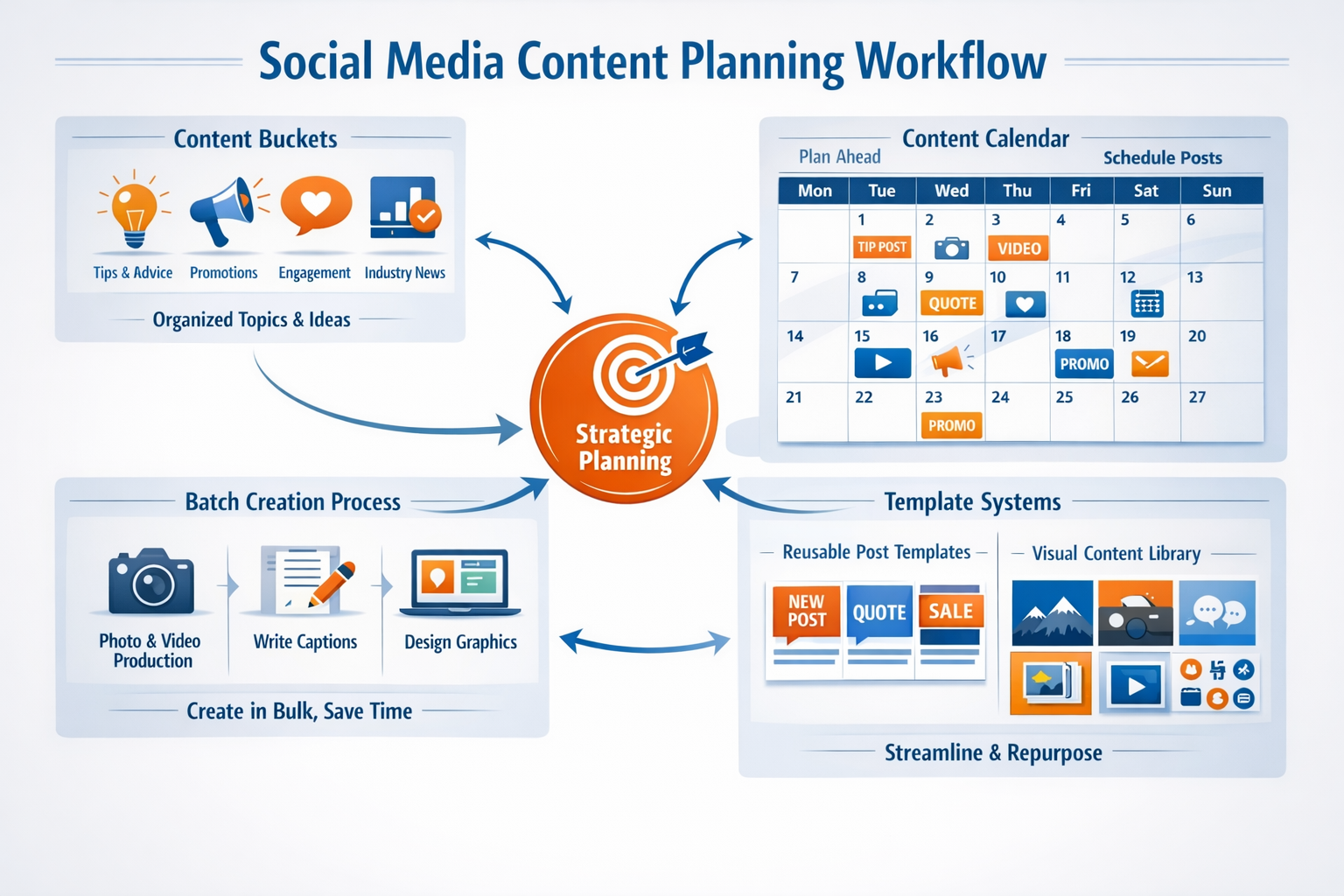
Content batching is one of the most effective methods to Save social media time to be able to. Instead of creating new content every day, produce content for weeks or even months in focused sessions.
The content batching process
Strategic preparation
- Develop a 3-6 month content calendar
- Define recurring content categories
- Create template libraries for different post types
Batch production
Day of the week | Activity | Time spent Monday | Graphic creation | 4 hours Tuesday | Text development | 3 hours Wednesday | Video content | 5 hours Thursday | Scheduling & Review | 2 hours Friday | Community Management | 2 hours Content categories for systematic work
Evergreen content (40%)
- Basics and how-to guides
- Industry knowledge and tips
- Company values and culture
Trending content (30%)
- Current industry news
- Seasonal content
- Trending hashtags and challenges
Promotional content (20%)
- Product Announcements
- Offers and promotions
- Case studies and testimonials
Community content (10%)
- User-generated content
- Behind-the-scenes insights
- Team introductions
Template system for maximum efficiency
Create post templates:
LinkedIn Business Tip Template: Headline: [Specific statement] Problem: [Describe the challenge] Solution: [3 concrete steps] Call to action: [Encourage engagement] #Hashtags #Relevant #Industry Visual content templates:
- Consistent color schemes and fonts
- Recurring layout structures
- Brand-compliant design elements
Analytics and monitoring: Data-driven social media save time

Efficient Save social media time requires data-based decisions. Modern analytics tools can help you optimize your strategy and eliminate time spent on ineffective activities.
KPI focus for time efficiency
Primary KPIs (daily)
- Engagement rate
- Reach and impressions
- Click Through Rate (CTR)
Secondary KPIs (weekly)
- Follower growth
- Share of voice
- Sentiment Analysis
Business KPIs (monthly)
- Lead generation
- Conversion rate
- Return on Ad Spend (ROAS)
Automated reporting systems
Dashboard setup for real-time monitoring:
| Metric | Tool | Update frequency | Time saving |
|---|---|---|---|
| engagement | Social@ALL AUTOMATION | Real time | 5h/week |
| traffic | Google Analytics | Daily | 3h/week |
| ROI | HubSpot | Weekly | 8h/month |
| Competitor Analysis | SEMrush | Monthly | 12h/month |
Performance optimization through data analysis
Content Performance Analysis
- Identify top-performing content types
- Analyze optimal posting times
- Determine the most effective hashtag combinations
Audience Insights
- Understand your audience preferences
- Optimize content for different segments
- Personalize your communication strategy
Quick win identification
Weekly 15-minute analysis: 1. Identify top 3 posts of the week 2. Extract common success factors 3. Create template for similar posts 4. Integrate into next week's content calendar ROI tracking for strategic decisions
Attribution Modeling:
- First-touch attribution for awareness campaigns
- Last-touch attribution for conversion tracking
- Multi-Touch Attribution for Customer Journey Analysis
Optimize budget allocation:
- Identify the most profitable platforms
- Move resources to high-performance channels
- Eliminate ineffective activities
Delegation and teamwork: Collaborative social media save time

Save social media time works best in a team.
A clear distribution of tasks and efficient collaboration can increase productivity exponentially.
Define roles and responsibilities
Content creators
- Graphic and video creation
- Copywriting and storytelling
- Brand guidelines implementation
Community manager
- Daily interactions and responses
- Crisis Management
- Influencer relations
Social Media Analyst
- Performance tracking
- Competitive Analysis
- Strategic Recommendations
Social Media Strategist
- Campaign planning
- Budget management
- Stakeholder communication
Workflow optimization for teams
Streamline approval processes:
Content Workflow: Creator → Review (24h) → Approval → Scheduling → Publishing
Collaboration tools for efficient collaboration:
| Tool | function | Team size | Time saving |
|---|---|---|---|
| Asana | Project management | 5-50 | 10h/week |
| Slack | communication | Unlimited | 8h/week |
| Canva teams | Design Collaboration | 2-20 | 6h/week |
| Google Workspace | Document sharing | Unlimited | 5h/week |
Best practices for team efficiency
Clear communication guidelines
- Defined response times for different request types
- Standardized briefing templates
- Regular team sync meetings (max. 30 minutes)
Standardized processes
- Content creation checklists
- Brand guidelines and style guides
- Crisis Communication Playbooks
Continuous improvement
- Weekly retrospectives
- Process documentation and updates
- Team feedback integration
Outsourcing strategies
What to outsource:
- Graphic design for standard posts
- Community management outside of business hours
- Data analysis and reporting
- Content moderation
What to keep internally:
- Strategic decisions
- Crisis management
- Brand-critical communication
- Influencer relationships
Freelancers vs. agencies:
| aspect | Freelancer | agency |
|---|---|---|
| Cost | 25-75€/h | 80-200€/h |
| flexibility | High | Medium |
| Breadth of expertise | Specialized | Full service |
| Scalability | Limited | High |
Conclusion: Your path to sustainable social media save time
Save social media time is not a one-time optimization, but a continuous process of improvement. The combination of intelligent automation, strategic planning and effective teamwork can revolutionize your social media efficiency.
Your next steps
Can be implemented immediately (this week):
- Conduct a time audit of your current social media activity
- Install a scheduling tool and schedule posts for the next 7 days
- Create 3 content templates for your most common post types
Medium term (next 4 weeks):
- Implement a complete automation system
- Develop a 3-month content calendar
- Establish weekly performance reviews
Long term (next 3 months):
- Optimize your team workflows and delegation
- Integrate advanced analytics and ROI tracking
- Develop a scalable social media strategy
Measurement of success
Monitor these metrics to determine the success of your Save social media time Measure initiatives:
- Time reduction: Weekly working hours for social media
- Productivity: Posts per working hour
- Quality: Engagement rate and reach per post
- ROI: Sales per social media hour invested
Investing in efficient social media processes pays off after just a few weeks. Companies that consistently implement these strategies report 40-60% time savings at the same time 20-30% better performance results.
Start optimizing your social media efficiency today – your future self will thank you!
KI-Offenlegung: HINWEIS: Bilder wurden mit KI erstellt oder bearbeitet und sind keine realen Abbildungen. Teile der Texte wurden mit Hilfe von KI erstellt und redaktionell von einem Mensch bearbeitet.